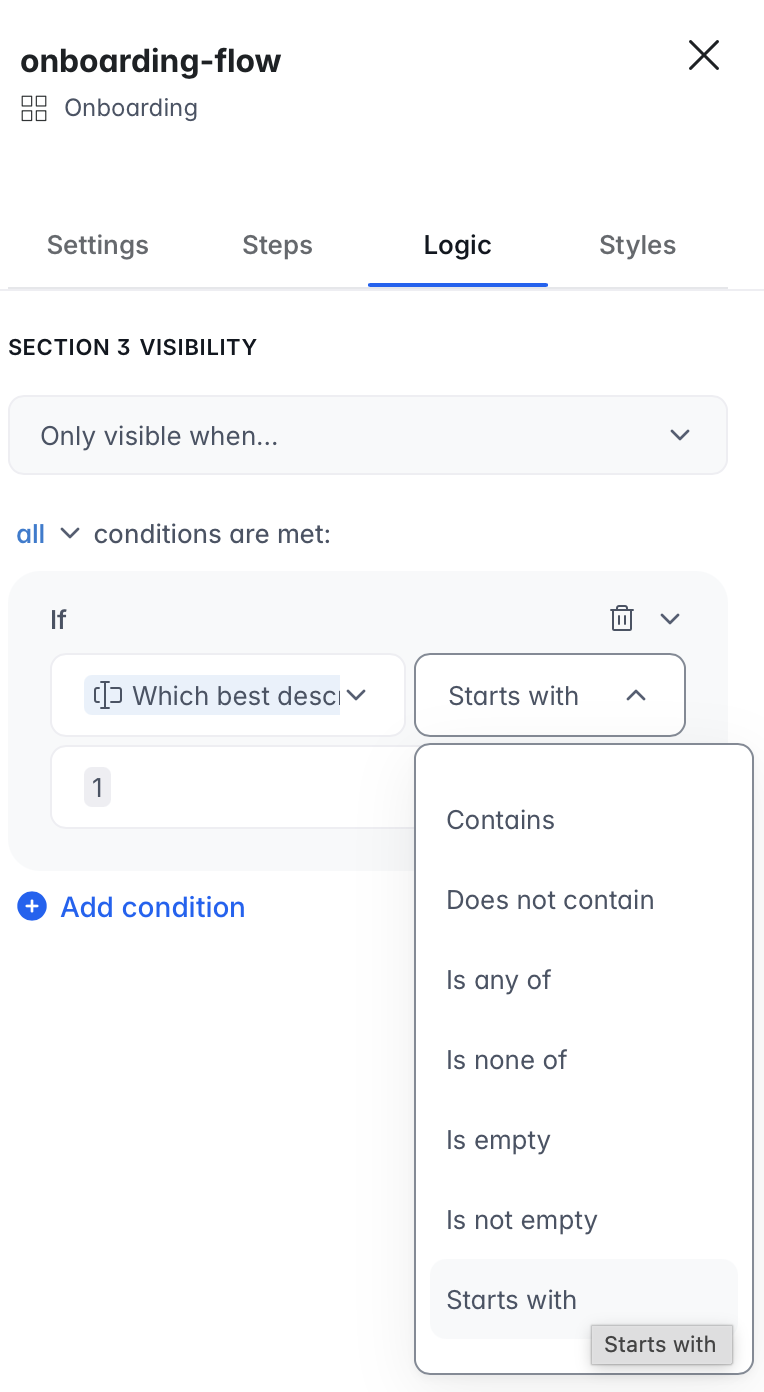
Hi there. You can reproduce it easily. Create a ‘select’ field and use the values mentioned earlier. Then use this field in the onboarding. Screenshots: Form inputs based on Softr DB select field - multiple bugs
Create a new section and add a filter. Currently, only the ‘is’ condition is showing my test section 3. I’m having trouble getting ‘contains’ or ‘starts with’ to work. I was expecting that the outcome would be the same for any of these conditions; showing the section.