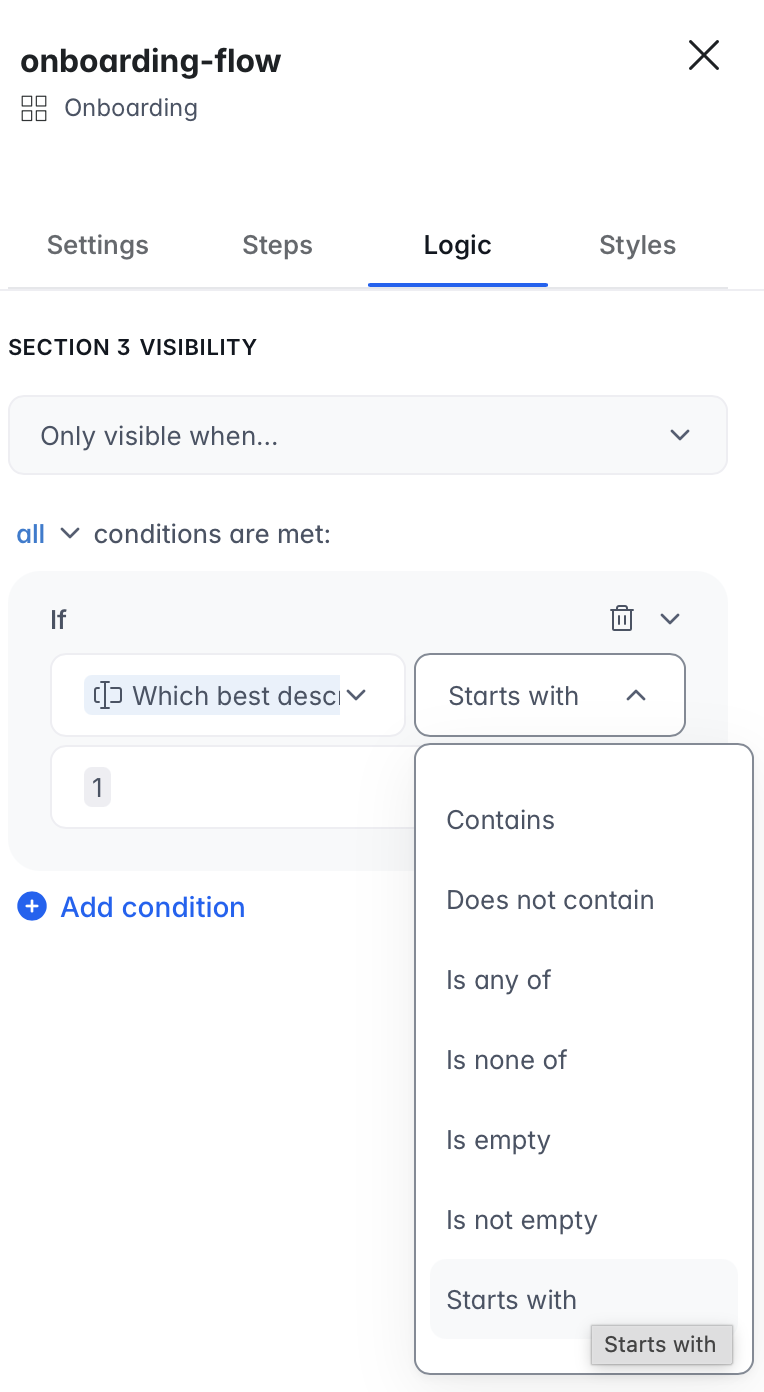
I’m having trouble using a quick select form answer from a previous step in a condition. It seems like only ‘is’ conditions work.
Repro: If I try ‘starts with’ or ‘contains’, I don’t get the same results. I’ve tested this with a Softr DB ‘Select’ type field, and the values are 1, 2, 3, etc.
Create a new section and add a filter. Currently, only the ‘is’ condition is showing my test section 3. I’m having trouble getting ‘contains’ or ‘starts with’ to work. I was expecting that the outcome would be the same for any of these conditions; showing the section.
I assume that this does not work as you expect it to work because the values of your Select field are only numbers. Can you test this creating another field with mixed values, like “text+numbers” and test “Contains” and “Starts with” conditions again?
This is a simple reproduction. I initially used regular text values, but they didn’t work. Then, I tried adding the numbers as prefixes, but that didn’t solve the issue either.
Thanks for testing and sharing the reproduction steps.
If I’m not mistaken, for Select fields, the most reliable operator to use in onboarding conditions is “is”, since the field stores discrete option values. Operators like “contains” or “starts with” are primarily intended for text fields and may not behave as expected with Select-type values. That’s why the section appears when using “is”, but not with the other operators.
For this setup, I’d recommend continuing with exact match conditions (is) when referencing Select fields in onboarding logic.