Yes, But it doesn’t allow to auto “disable”…
1 Like
Hmmm, I’ll share with our team as it would be nice to have that flexibility but does go against normal behaviors… Normally if you comment on something, you want to be notified if someone responds..
True, but in one of my apps, users specifically don’t want email notifications.
I’ve built a reminder table within the item detail where users can create reminders, which then notify them via Microsoft Teams using Make.com.
It would be ideal if comment notifications could also be routed to other platforms like Teams, instead of defaulting to email.
Yeah, agreed. We will be opening it up in the future so you can create automations around notifications in other platforms… Softr Workflows will even be able to help with that too!
Hi JJ, can you clarify how to auto enable notifications? It seems notifications are disabled by default with no way to adjust other than the user toggling on the comment block
Once you enabled Commenting on particular source table, you can go to app Settings > Comments > Configure default notifications rules based on user’s relation with records in that table.
I think this is just working with Softr DB for now.
Would you mind sharing a screenshot of where that option is within the Settings > Comments menu? I see there’s a Notifications section in that menu but no options that match what you provided. Thank you!
Here is a video for it: Comment notification rules | Softr | 18 comments
This is available for any data source that is DSV2, which is most of them except airtable, hubspot and SQL.. Airtable is coming any day now though.
Thank you! We’re using Airtable which explains why I’m not seeing that.
1 Like
Hi
The new comment feature is really nice and improve a lot my apps ! Thanks for that
in the previous version there were a database where all comment were saved and I could export them.
Is there a way to do that with the new module ? My best goal would be to export the detailed item and all comments attached 
Thanks a lot !
1 Like
The table to view all of your comments is there, but we don’t allow exporting at this time. We are looking to include in the future though, along with allowing you to trigger automations from your new comments too.
1 Like
any update on when this will be working for Airtable?
We’re aiming for a week or two, but as you can see, we’ve had a lot of delays. We’ll be sure to update everyone once it’s live here!

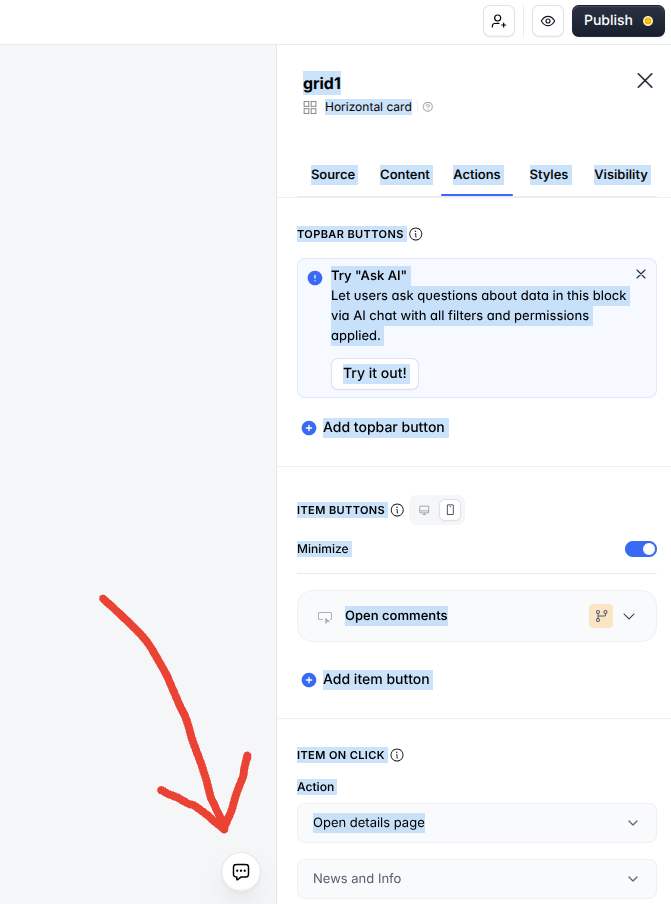
@artur, am I missing something or is this little ellipsis supposed to tell app users to comment when settings are set to hover on desktop or minimized on mobile? It appears with cover image tags? Are users supposed to see this and think, ‘leave a comment’? Is there styling I’m missing when comment buttons are hidden/minimized?
Really confused about this design choice when user engagement is the objective here. How about changing it to the button icon we can select or at least default to something like the icon in Softr Studio used to enable chat support:
1 Like