I often hear from clients building MVPs or internal tools that they want more visibility into what users actually do inside their Softr app and it seems like no one solved it here.
The fastest way to get this is to integrate PostHog.
It’s FREE, it works instantly, and it’s basically CCTV for your app.
It quietly tracks:
- Which pages users visit
- Which buttons they click
- How they navigate
- Where they get stuck
- How long actions take
It even provides session replay videos of real user interactions.
Here is how to set this up in 20 min
Step 1. Create your PostHog project. All you really need from the onboarding is the API Key.
Step 2. Add this code in Softr. Go to Settings → Custom Code → Code inside header
(not a page code block - this must be global)
Replace phc_xxxxxxxxx with your key:
<script>
/* Load PostHog */
!function(t,e){var o,n,p,r;e.__SV||(window.posthog&&window.posthog.__loaded)||(window.posthog=e,e._i=[],e.init=function(i,s,a){function g(t,e){var o=e.split(".");2==o.length&&(t=t[o[0]],e=o[1]),t[e]=function(){t.push([e].concat(Array.prototype.slice.call(arguments,0)))}}(p=t.createElement("script")).type="text/javascript",p.crossOrigin="anonymous",p.async=!0,p.src=s.api_host.replace(".i.posthog.com","-assets.i.posthog.com")+"/static/array.js",(r=t.getElementsByTagName("script")[0]).parentNode.insertBefore(p,r);var u=e;for(void 0!==a?u=e[a]=[]:a="posthog",u.people=u.people||[],u.toString=function(t){var e="posthog";return"posthog"!==a&&(e+="."+a),t||(e+=" (stub)"),e},u.people.toString=function(){return u.toString(1)+".people (stub)"},o="init capture identify group reset get_distinct_id".split(" "),n=0;n<o.length;n++)g(u,o[n]);e._i.push([i,s,a])},e.__SV=1)}(document,window.posthog||[]);

/* Initialize PostHog */
posthog.init('phc_xxxxxxxxx', {
    api_host: 'https://eu.i.posthog.com',
    autocapture: true,
    capture_pageview: true,
    capture_pageleave: true,
    disable_session_recording: false,
    session_recording: {
        maskAllInputs: true,
        maskAllText: false,
        recordConsoleLog: true,
        recordNetwork: true,
        recordPercentage: 100
    }
});

/* Identify the Softr user once loaded */
function identifyUser() {
    if (!window.logged_in_user || !window.logged_in_user.softr_user_email) return;

    posthog.identify(window.logged_in_user.softr_user_email, {
        email: window.logged_in_user.softr_user_email,
        full_name: window.logged_in_user.softr_user_full_name,
        airtable_record_id: window.logged_in_user.airtable_record_id
    });
}

identifyUser();
setTimeout(identifyUser, 800);
setTimeout(identifyUser, 1500);
</script>
Step 3. Publish the app. You’re now collecting hundreds of data points for every user session.
Bonus: Make it even more powerful
On individual Softr pages, you can add a Code Block and fire custom events for actions you care about.
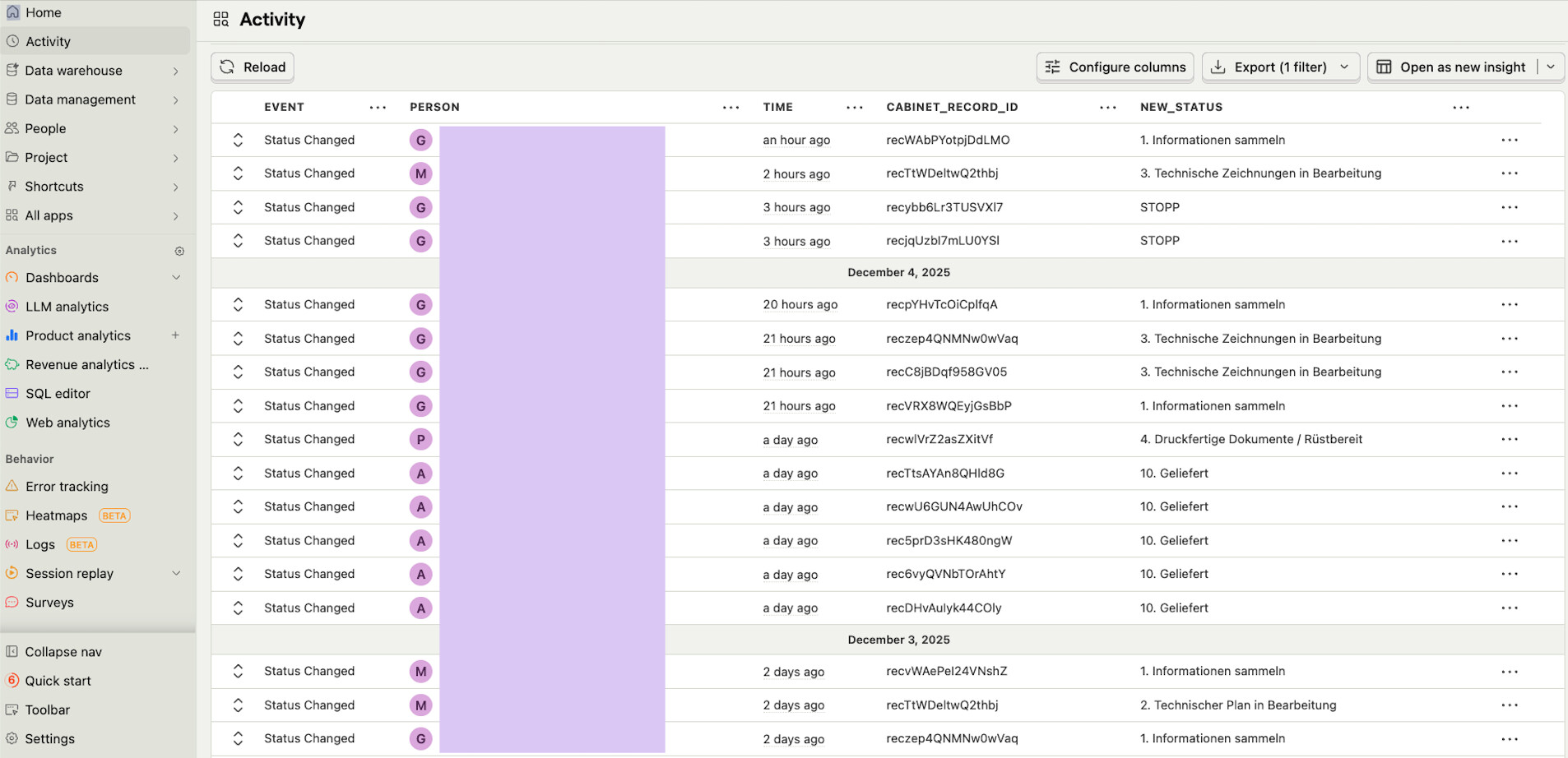
Example: tracking when a user clicks “Change Status” and what the new status is.
This lets you build dashboards like the one below, where a manufacturing team logs every status change across their process.
Hope this helps!
Karol