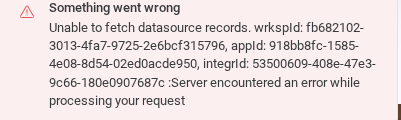
Been getting these errors since yesterday. They happen whenever I click on an element that’s synced to Airtable. I haven’t changed anything in Airtable that should be causing the errors to appear, as I’m only using one base in Softr.
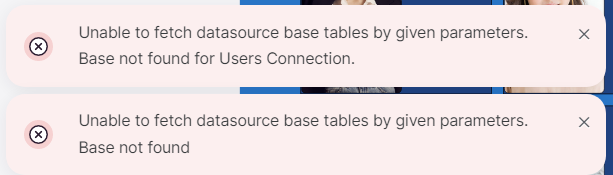
Been getting these errors since yesterday. They happen whenever I click on an element that’s synced to Airtable. I haven’t changed anything in Airtable that should be causing the errors to appear, as I’m only using one base in Softr.
Hey @Zeke,
Since you have mentioned you have done changes in Airtable, I think you should firstly edit the Users connection.
Please navigate to Users tab > edit connection > and connect the table and fields again.
Save the changes and publish the app, please.
Hey Suzie! It turns out I’m an idiot, and I hadn’t tried removing the Airtable connection and resetting it. That fixed it, which I did before testing your method, but I’ll keep that in mind in case the issue happens again.
Thank you for your response and apologies for wasting your time! I’m so sorry!
@artur, having this issue again. Dynamic blocks are not showing data from datasource. Please address immediately as this is affecting live apps. :
@Ben Airtable has an incident https://status.airtable.com/
While Claude or Chat GPT et al work in a pinch too, here’s a friendly plug for Softr’s easy-peasy banner generator for 3rd party service outage times like these.