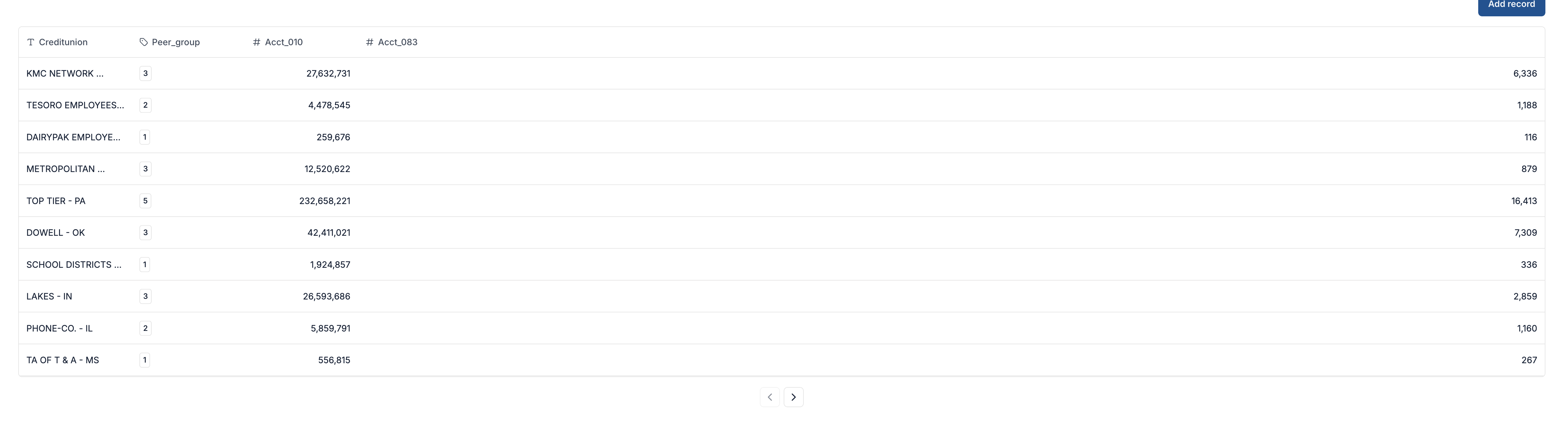
Does anyone know of a workable way to center-align text in a table block? I’ve tried CSS and it does not override the native justification. I’ve included a screenshot of a test table I created - note the right justification on cells with a number in them. The header/column data alignment is bad. At the moment my workaround is to use the text type for fields, but then I cannot use number formatting options.
1 Like
This is definitely a very necessary feature that is missing (along with striped rows) and naturally makes the styling hideous.
I currently was able to center align my table headers and row data with the following css
#your-block-id .format-label,
#your-block-id .cell-inline-editing-content  {
   justify-content: center;
}

#your-block-id .table-block-ag-grid p {`
    text-align: center;`
}
1 Like
+1
Just tried to left justify my far right column so it flows better but its putting my inventory value number waaaaaayyyy over to the right of the screen.
+1
to justify it to the left would be justify-content: start … just in case you actually put justify-content: left
Would there be a current way to center specific columns instead of all?
Any idea why this is not working to left align a table named “lineitems” on my page?
”
#lineitems .format-label,
#lineitems .cell-inline-editing-content {
justify-content: start;
}
#lineitems .table-block-ag-grid p { text-align: start;
}”