Workflows should be able to be triggered from every type of form on Softr
1 Like
Agreed. We need to be able to run Workflows from any form including Sign up and Onboarding forms. This would provide a lot more flexibility, especially with User sign up and management.
1 Like
Did you try to trigger the workflow with the “Record updated” trigger, selecting the same source as the one that is mapped to the flow? I assume that it should help
Hi @david_mheryan I’m not clear on what you are recommending. How would you do the following:
I have tables for Users, Contacts and Accounts.
The Users and Contacts tables are related to each other, and the Contacts and Accounts tables are related to each other.
When someone signs up a user is created in the Users table. An onboarding flow then creates a contact using the email and name that were provided during sign up. I now need to create an Account using the name that was provided during sign up. How should I create a workflow that integrates with the onboarding process?
Ideally, I’d like to run a custom workflow that is triggered by the sign up form or from the onboarding form.
Thanks in advance.
Toby
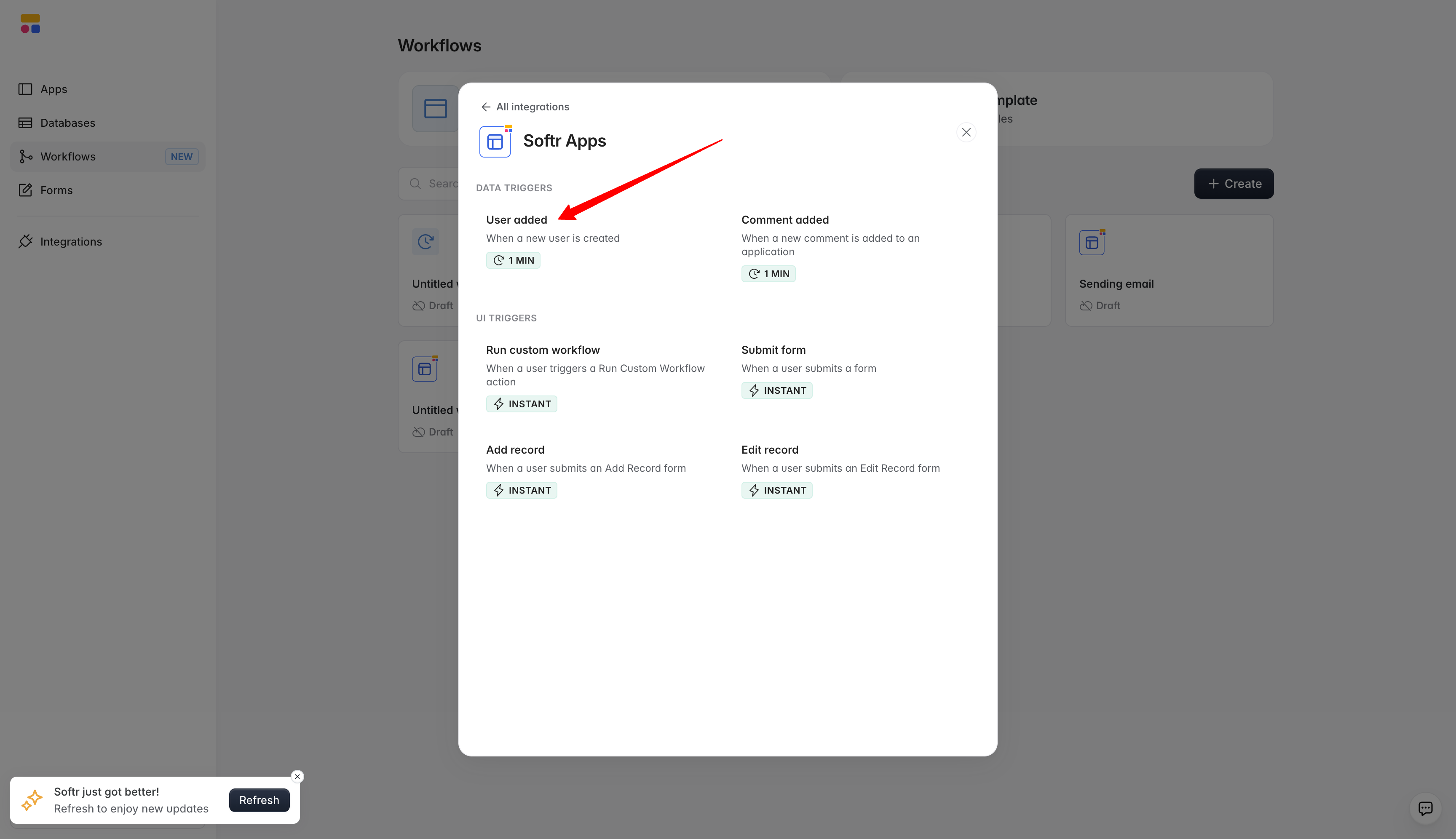
If I understood you correctly, then Onboarding flow should help you with creating the account in the Accounts table after the user signed up. And in case you want to run a workflow for other additional actions, you can consider using “Softr Apps → User added” trigger.
Hi @david_mheryan I think I’ve run into a bug in Softr’s Onboarding process.
When I create a user I have an Onboarding flow to create a Contact record. I also have a Workflow to create an Account record when a contact is created.
Here’s what’s happening:
- User signs up. This creates a User record in the User table - this works
- Onboarding process starts. This creates a Contact record in the Contacts table - this works
- When a contact is added a workflow is triggered to create an Account record - this is where there is a problem.
The Problem:
The onboarding process appears to create and update the related record at each step of the onboarding process.
- Step one: Contact provides phone number. When I click the next button to go to the next step in the onboarding process a contact record is created in the Contacts table with the phone number.
- Step two: Contact provides address. When I click the next button to go to the next step in the onboarding process the address is added to the Contact record that was created in the previous step.
- Step three: Contact provides Account name. When I click the next button to go to the next step in the onboarding process the account name is added to the Contact record that was created in step one.
Because the onboarding process adds/updates at each step of the onboarding process instead of after all steps are completed, it is triggering the Account Workflow at each step, creating duplicate records in the Accounts table.
I don’t know if the onboarding process is intended to work like this but it sure complicates things. It would be much better if onboarding processes created records after all steps were created, as opposed to creating and updating at each step of the onboarding process.
I’ve spent a few days trying to get our signup and onboarding process to work. Not sure what the best approach is. Any help or guidance you can provide would be appreciated.
Thanks in advance.
Hi Toby,
Thanks for sharing all the details, that makes the case very clear.
What’s happening here is expected behavior in Softr’s onboarding workflow: the Contact record is updated incrementally at each step, so any workflow triggered on record creation or updates will fire multiple times, which is why you’re seeing duplicate Account records.
A reliable way to handle this should be to set your workflow trigger to “Update Record” on the Contacts table, and add a filter so it only runs when the field from the final step (e.g., Account Name) is updated. With this setup:
-
Step 1 (phone) → workflow does not run
-
Step 2 (address) → workflow does not run
-
Step 3 (Account Name) → workflow runs once to create the Account
Optionally, you can also add a check to ensure an Account doesn’t already exist for that Contact, just to avoid duplicates if the field is edited later.
This approach lets you integrate the workflow with your onboarding flow without changing how Softr currently updates records at each step.
Hope this helps!
1 Like
@david_mheryan thanks for the step by step explanation. Makes much more sense to me now. I’ll give it a go.
1 Like
You are very welcome!