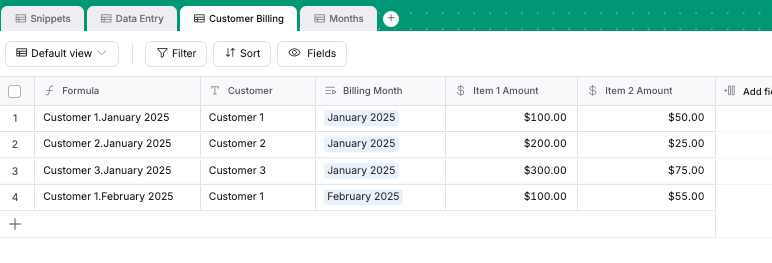
Ok, I have multiple tables in a Softr Database. One of the tables gets rows added to it that have the billing month and dollar amounts for different things in different columns. I need to reference that column somewhere else that sums up the invoices for the records that have a specific month as their billing month. As a google sheet reference, this is how I would do it in a spreadsheet.
=SUMIF(‘Tab Name With List of Billing Months’!$A:$A, “January”, ‘Tab Name With List of Billing Months’!$F:$F)
I’m saying SUM all of the values in Column F where they have “January” in their Billing Month Column.
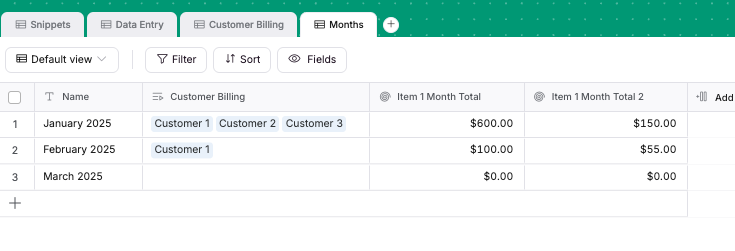
Then, in the table of months there appears a corresponding field showing all the lines in the Billing table that are linked to that month.
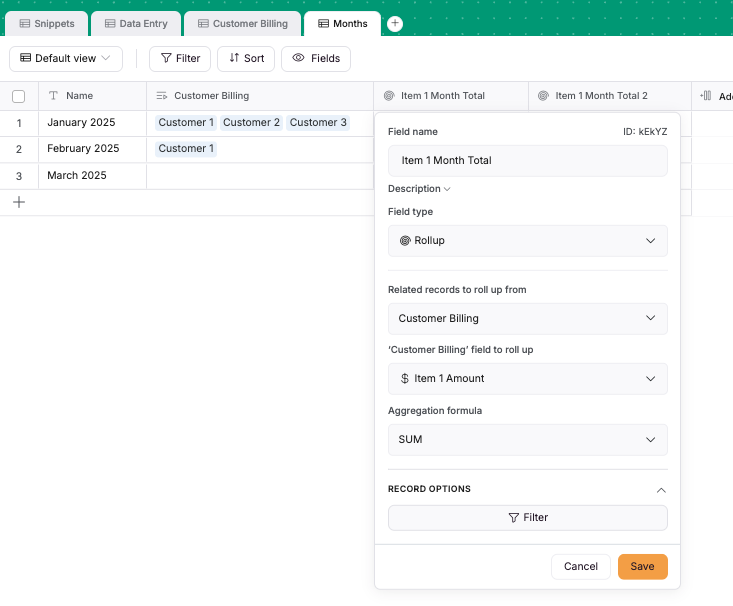
We then add a “Rollup” field which takes all those records and performs some action on them - in this case finding the sum of the columns that we want to sum.
I have tried everything I can think of in terms of related fields, lookup fields, and rollup fields. The main table gets data added to it every day and the billing month is potentially different in each record, especially as the year progresses. I need a field in another table that adds up all of the costs from the main table in a column, where the billing month in that same record is a specific month.
I have also tried to follow these steps, but the corresponding field in the months table never shows up. Also, by “linked record field” is that the same as “related record field”?