Here is a video tutorial from our community members showing how to use Softr Worflows and Docs Automator for great PDF exporting: https://youtu.be/21s8QGQW8m8?si=127fe4I9LVFxzvVi
@Jjenglert does this mean that we have to use Docs Automator to be able to export to PDF - we can’t use the in-built one? Docs Automator seems overkill for my use case and it seems to have a cost to it.
Thanks 
There is a simple option built in, but I believe you’ve tried that and it’s not enough for your use case? if that’s the case, then docs automator would be your next best bet IMO.
Maybe you can also try adding this functionality into a vibe coding block? Who knows what cna be done there =)
Thanks @Jjenglert , its not that its not enough for my use case, it’s not a viable alternative as its just a screenshot of the display, it doesn’t actually ‘Export to PDF’. I raised it again on this thread because that’s what the initial request was about and the solution doesn’t seem to reflect the initial request.
Did the engineers look into it at all? “Got it @Grainne. Just messaged the engineer leading this build to see what else can be done to improve this. Thanks for reporting.”
In the meantime I’ll look at vibe coding and see what I can do.
Thanks
Can you DM a video of what you have and what you’re looking for? Maybe we’re not aligned here. let me know.
@GuillaumeDuv @artur any updates on improving the native PDF export? The pdf doesnt capture the full table width, captures buttons and also other opens. In fact it is a ‘screenshot’ not an ‘export’ pdf’.
3rd party docs generators take ~20 seconds for a simple page to be generated as PDF which is too long.
1 Like
Agree, I’d still like this feature to work properly.
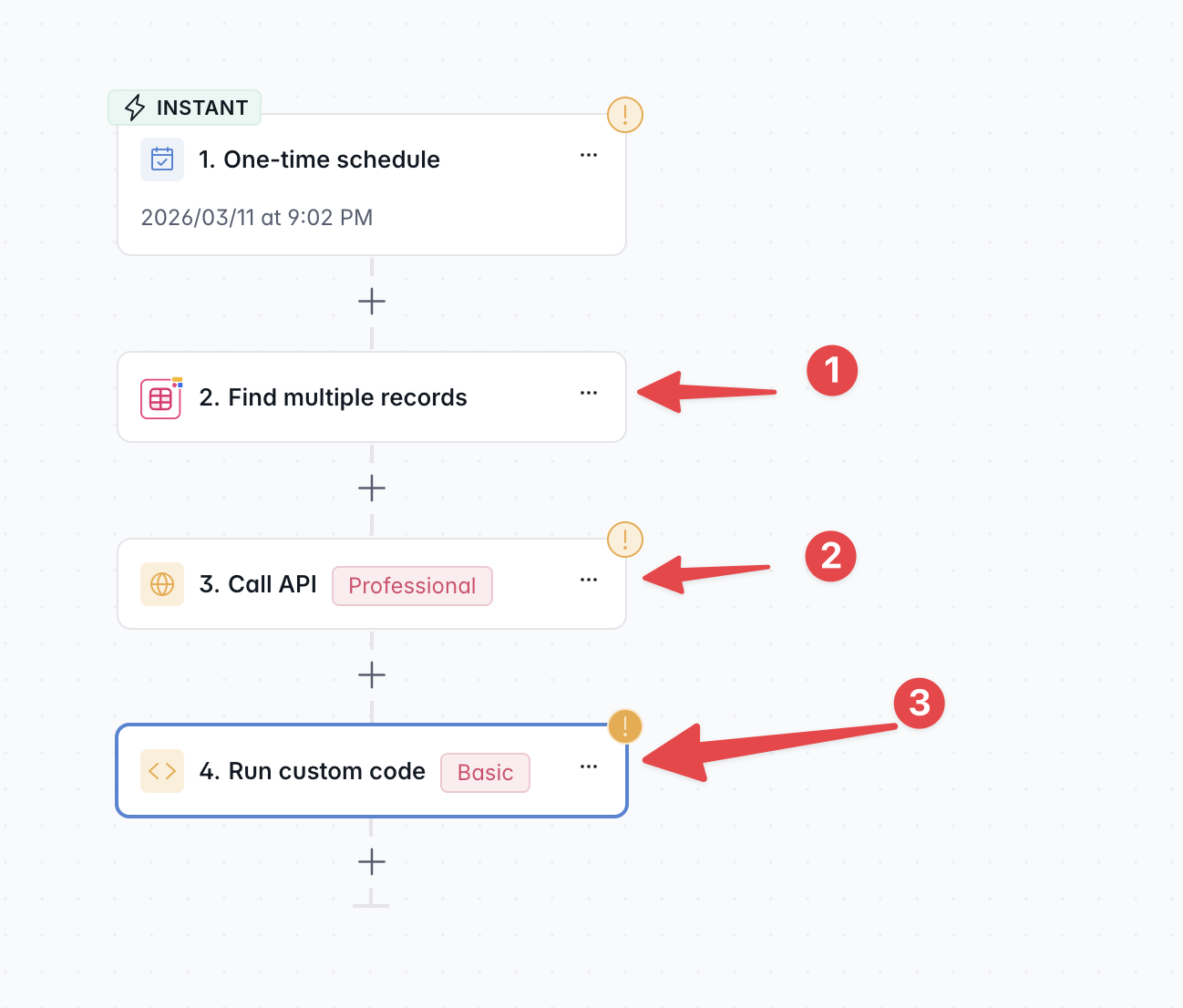
Was thinking of using Softr Workflows natively for this?
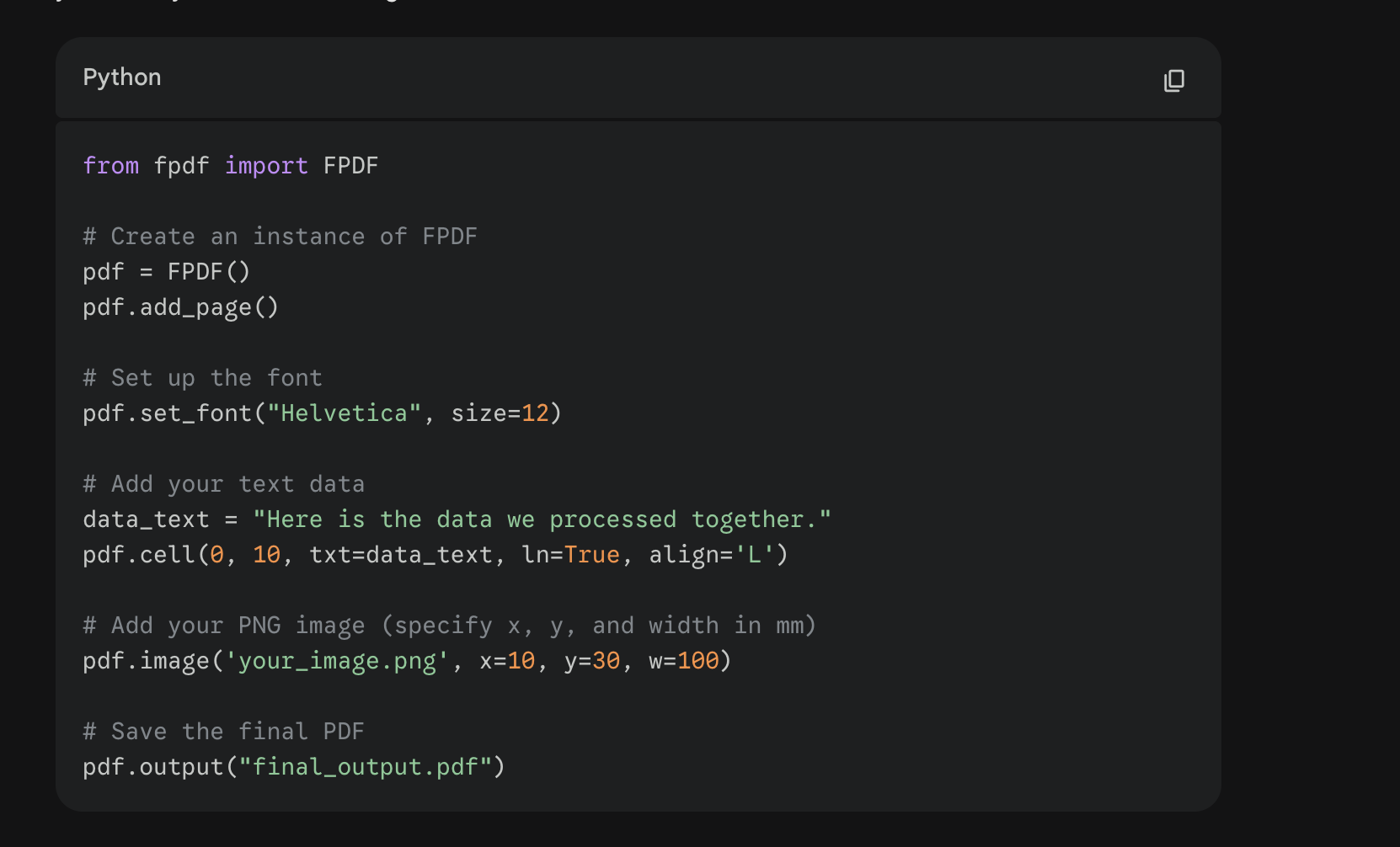
The following has worked in other systems and the API call would be to Gemini to send it a prompt and that data to have it generate the PNG. Then the custom code is just some quick python make it into a PDF. You could then do a nice “PDF Table” that the user can get all their Exports from or return it to the ui as a link that outputs the file.