I have created this post to hopefully help improve and clear up the grey area with onboarding users as seems to be a reoccurring issue for users.
Appreciate if everyone can post what their use case is for the 3x different types of onboarding users.
Sign Up
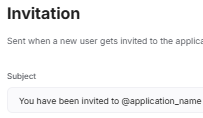
Invitation
Sign In (technically already onboarded)
E.g.
Sign Up
A) Used for cold leads (e.g. have a users email but dont have sufficient details on them for the ‘Invitation’ method (option 2).
B) Visitors stumbling across the website
Invitation
A) Used when app admin has users details and just needs them to create a password to access their account set up.
Sign In
A) User has already been onboarded so just a way for them to access their app.
We don’t use this at the moment as it’s only for existing clients i.e. invited users.
I have created a registration form for anyone that stumbles across the website but we’d need to have a conversation with them first as it’s a B2B client portal (not an automatic ‘try it out’).
Invitation
We manually send each user the invitation, we don’t need it to be automatic at this stage - that option is turned off so that we can control who gets invited.
Right now I use case (1) and (3) → Sign up and sign in:
(1) Sign up via Gmail or email and then I redirect to my “onboarding” page - a form where I hide the header and footer of the website so that it looks proper.
The form answers are sent to a seperate table in Airtable and are then copied over to the user email in my “Users” table.
Sometimes I have some issues there because Softr seems to have a slight delay in sending the user email to my user table in Airtable.
(2) Sign In via gmail or email, always with a code
Anything else you’d like to know?
Also, asking this because the Onboarding upgrade is on the Softr Roadmap as coming soon?
2). Invites could be a lot more flexible. We should have filter settings on them for a particular user group, or better yet have multiple invites each with their own filters for particular user groups. As it stands, all new users get sent the same invite no matter what kind of user they are.
Cool. We are similar in that we control who gets invited.
I have been getting our users to create a password when they first get invited via the manual Invite button (see screenshots below). The problem we have is that it can ‘time out’ which is really frustrating as there is no way to know when that ‘time out’ happens…
If we don’t let a user set up password then they are reliant on the one time code (the way you are doing it) but i guess its better that they can access the app than not access the app because they took too long to sign in…
Still havent heard back from Softr what the ‘time out’ period is… @Jjenglert Any news on this?
Also, its really frustrating when the invite times out and you are reliant on the user to tell you that they weren’t able to sign in…
or when you preview as their user and Softr thinks the user has signed in
There is also no email in your ‘sent emails’ so cannot follow up.
As such I am looking at shifting away from the Invitation as it is super glitchy which will mean our users cannot set a password when they first sign in which means they would have to navigate to their settings to do so or be reliant on the one time code…
Re Sign Up/Sign in;
Do you find the code is reliable coming through to warrant not making your users create a password at the time they sign up?
For me we have been using the manual ‘Invitation’ method as it allows users to set a password before they access the app so we can have the 2 methods of signing in. i.e. you would do this and then they would be redirected to your “onboarding” page. Probably you want them to fill out the onboarding form first before they set a password though?
We only use the one time passcode - we’re on the Professional plan so we can’t use both. We don’t give them the option of using either as we’d prefer a one time code. So far, it works well.
Ideally, we’d like to use both methods (for 2FA) but its not worth the jump to the next plan just for this option.
@artur, it sounds like any user that enters an app by any means (ie. Sign up, sign in, magic link, invitation,…) who does not have a password, should have to create a password as soon as they enter. Is this the default yet for ALL users that do not have a password?
I have followed your approach @Tim_ClimatEU and set up an “onboarding” page but from the Sign In page for user groups ‘first time sign in’.
I then used Make.com to pass the extra fields via the Softr form to the Users table.
@Ben
Seems a bit of a work around and lose the option for users to create a password…but at least now we can be sure users can actually sign in without being timed out, we can follow up on the sent invite email and can capture more information from the user which we couldnt do before
Sounds great!!
I don’t want users to have passwords because in my case, they often change emails and then the OTP is much better to make users update their emails.
Does make.com work smoothly for you to push over the data? I liked having an Airtable table because it synchs some options that I needed synched and can’t always insert manually.
This sounds like the workaround Softr suggested in years past for users that enter an app without signing up, either with magic link, invitation, … But Softr’s User Profile block (now Account Page) was never designed to create a password, only update one so it wasn’t user friendly. Had Softr not removed additional fields from sign up this year, these hacky workarounds and integrators could have been avoided with the new authentication journey for a seamless sign up. In fact, even after their new release earlier this year, Softr is still recommending this:
It’s not a conventional password journey (it requires additional steps), but if it works for your users, great! I guess you’ll have to wait and see how usable it is for them.
This has been the missing feature breaking Softr for us. We have been pushing out launch to external users waiting for onboarding. Here is our use-case:
Sign Up - we have HUNDREDS of external users that sign up monthly since we use softr for event registrations. Parents can sign up their children, people can apply for volunteer positions, etc.
We need to collect a ton of info at sign in as that will dictate form visibility, user type, etc. Nobody edits account details after even with automated even email reminders and redirects. In the old version of softr, we had required fields upon sign up so it was very easy.
Still do not understand why they got rid of this key feature.
We only invite old users who have applied for our events pre-softr. I am also redesigning our app so will be inviting users from the old app to new