Did you all get an email or notification that the conditional filters now need to be replaced? I didn’t see any notice of this. Will these all break in the future if not updated to their replacements, or will legacy blocks retain their function perpetually?
It’s an uncomfortable feeling discovering these critical changes accidentally. Is there an email list of notifications when fundamental changes like this happen, as I don’t seem to be on it? Can’t see it here either.
I did get the popup notice on my conditional filter settings when in the Studio, which is:
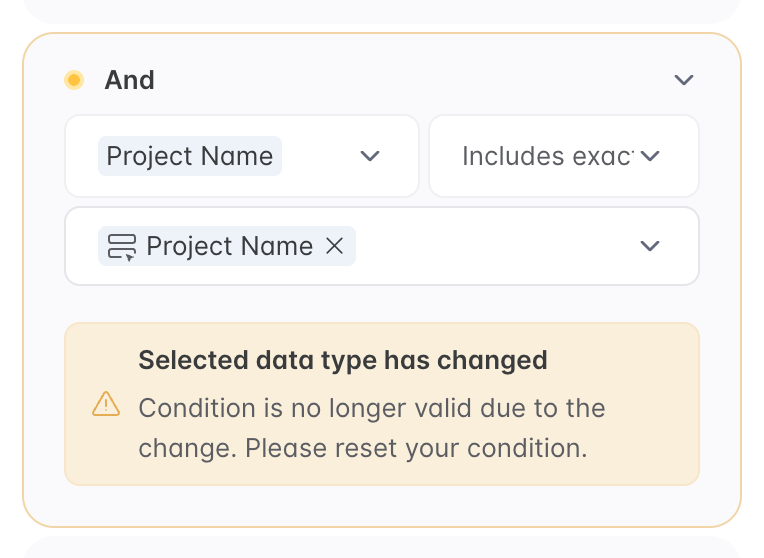
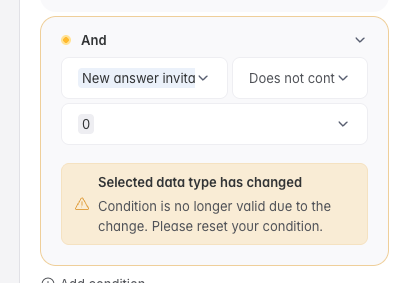
Selected data type has changed
Condition is no longer valid due to the change. Please reset your condition.
There wasn’t a clear email announcement, most people only noticed it when opening blocks in Studio and seeing the warning. For now, existing (legacy) conditional filters still work, but Softr is pushing everyone to update them to the new logic.
Based on past changes, legacy conditions usually keep working for a while, but there’s no guarantee they’ll be supported forever. It’s safest to update them when you see the notice.
Softr doesn’t currently have a dedicated “breaking changes” email list, which is why this caught a lot of people off guard.
a little communication, via a simple informative note, from softr would have been good.
When we work for several clients and we see this kind of message appear, we spend time understanding the why and how and if someone else changes a field or a condition…
This does appear to possibly be a change on the way Softr is reading specific fields- Artur can you confirm?
Not sure other’s data source but for us, we are using Airtable and one of the ones that “broke” for us was User’s email though nothing changed on our end, no difference in spelling, no change in the Email field itself.
But possibly there was a shift on how the Softr User’s table reads the {Logged in User} field? It previously would pull that field as “EMAIL” even if we named it “email addresses” in Airtable. Now, it’s pulling it directly as written, e.g. “Email addresses.”
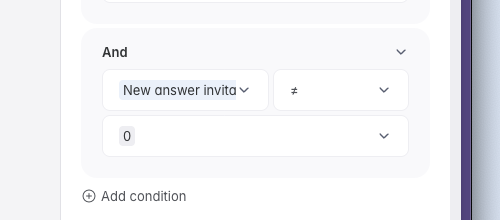
Another one was Rollup field. Previously it was reading as text- “rollup field name” "{does not contain} “Text number 0”, now it’s reading it more accurately as a number so the condition has changed to “rollup field name” {does not equal} 0.