Softr has been making great updates recently, but some of them are taking some don’t feel okay
Footer/ header UI & visibility - Before the new UI I could create as many footers with different styling, background colors and visibility rules. Now I can’t customize the background color or change visibility (Say I need the footer only visible to non-logged in users)
What do you guys feel about this. Maybe there is a workaround inform me.
Hi @SAMSAM456765456
Currently, with the new Softr UI, customization options for headers and footers are more limited compared to previous versions.
-
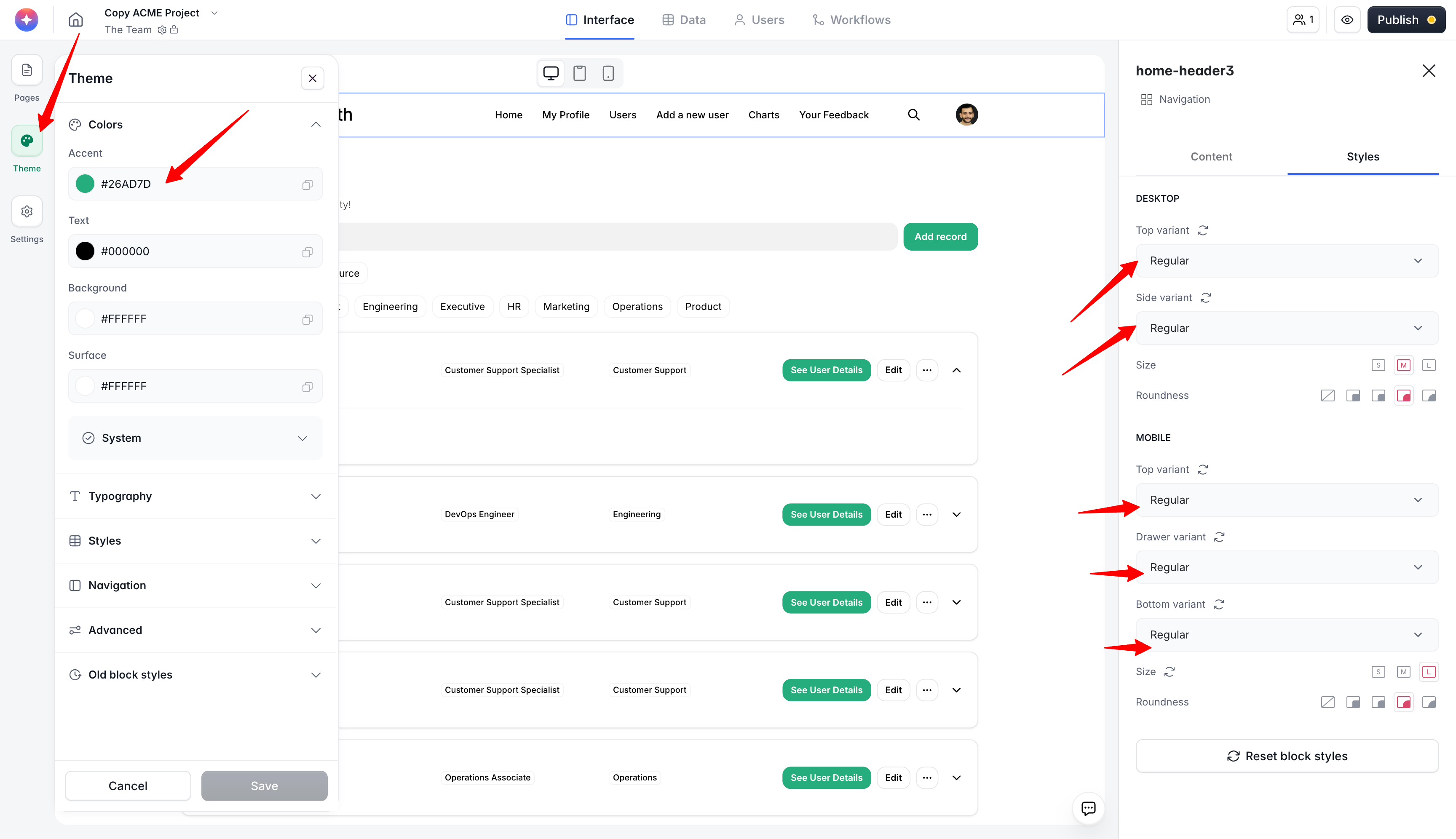
You can change the background color of the navigation bar or footer by going to the Style section of the block. Here, you can set the regular color based on your background color and the Softr accent color, which is automatically defined by the Accent color in the Theme section (screenshot 1).
-
The main button color in the navigation is automatically set by the system for optimal contrast and visibility, and other button colors are determined by the Accent color in the Theme section.
-
There is currently no option to manually customize these colors beyond what is described above. Alternatively, you can change the colors as you need using some custom codes.
-
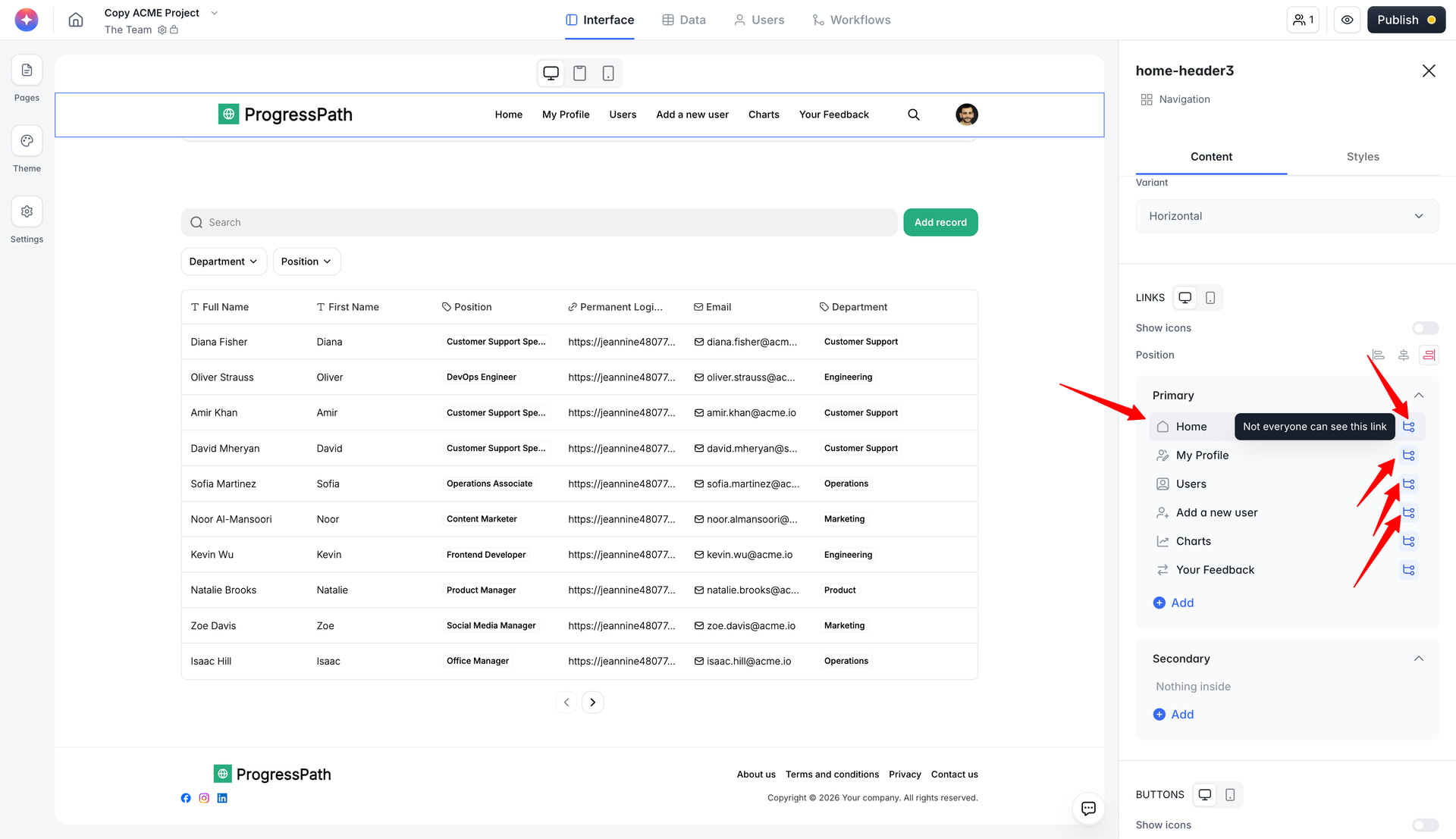
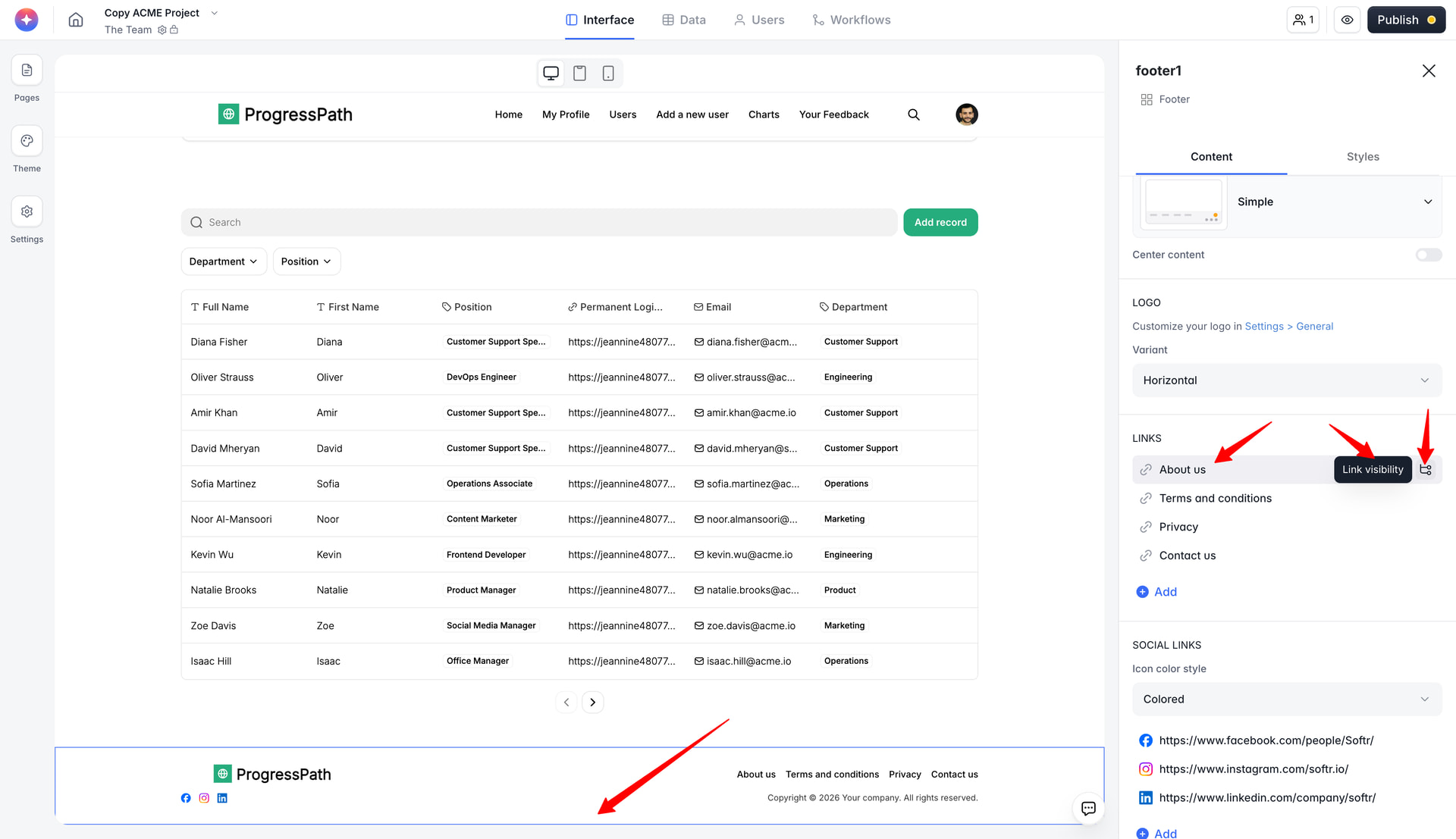
Visibility rules for navbars and footers (e.g., showing only to non-logged-in users) are not working as they used to work for the old headers and footers. Now you can configure the visibility rules of the links that are on the navbar and footer, so that one user group can see links A, B, and C, and other one can see X, Y, and Z, based on your needs (screenshots 2 and 3).
If you need more advanced customization (such as different footers for different user states or more granular color control), these features are not currently supported in the new UI.