Hello,
I have an issue. In my header I had 3 pages Catalogue, Livres and Lecteurs. But it doesn’t appear in my page Lecteurs. How can I solve that ?
Hello,
I have an issue. In my header I had 3 pages Catalogue, Livres and Lecteurs. But it doesn’t appear in my page Lecteurs. How can I solve that ?
Hi @Sylvie1,
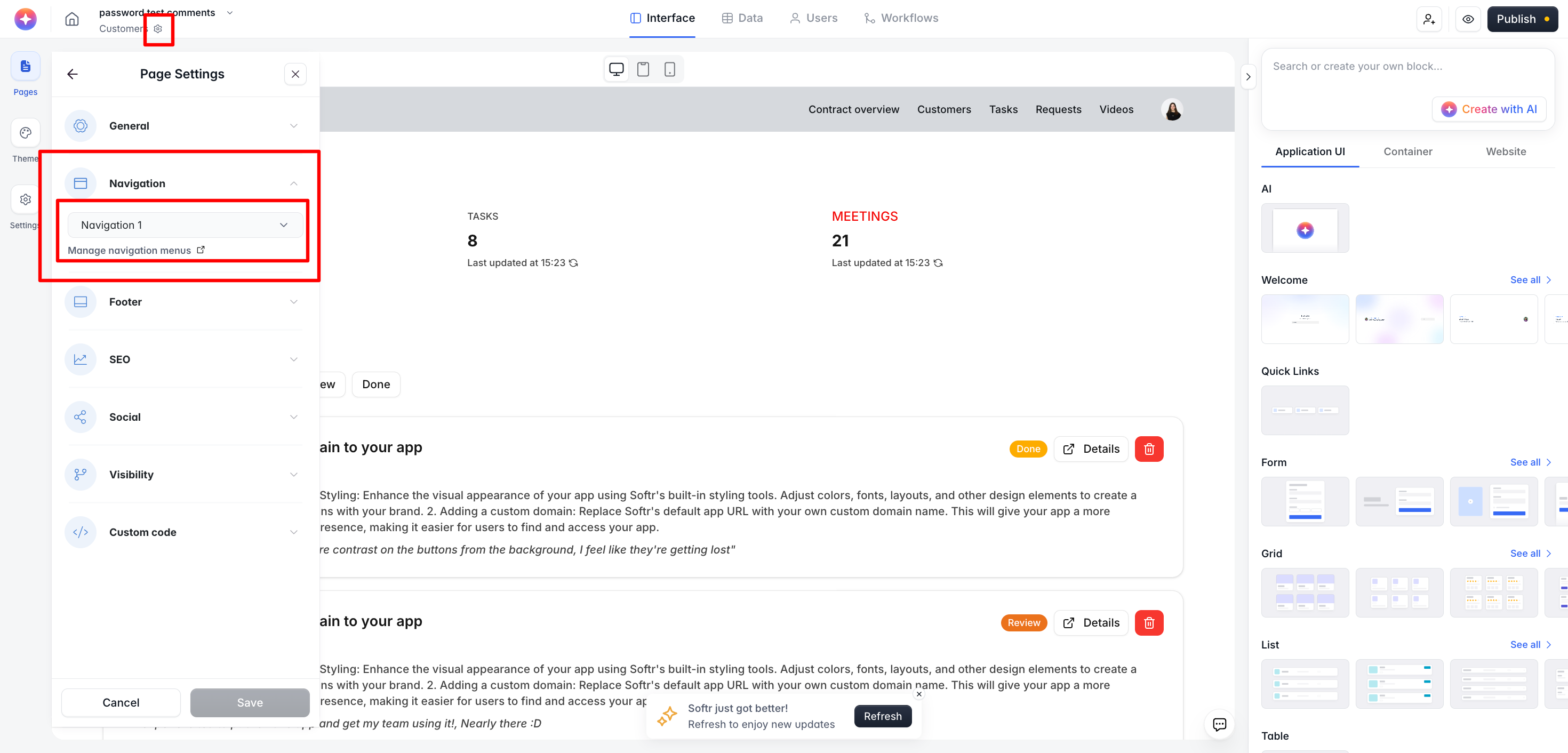
Please make sure that navigation is enabled from the Page Settings of that specific page.
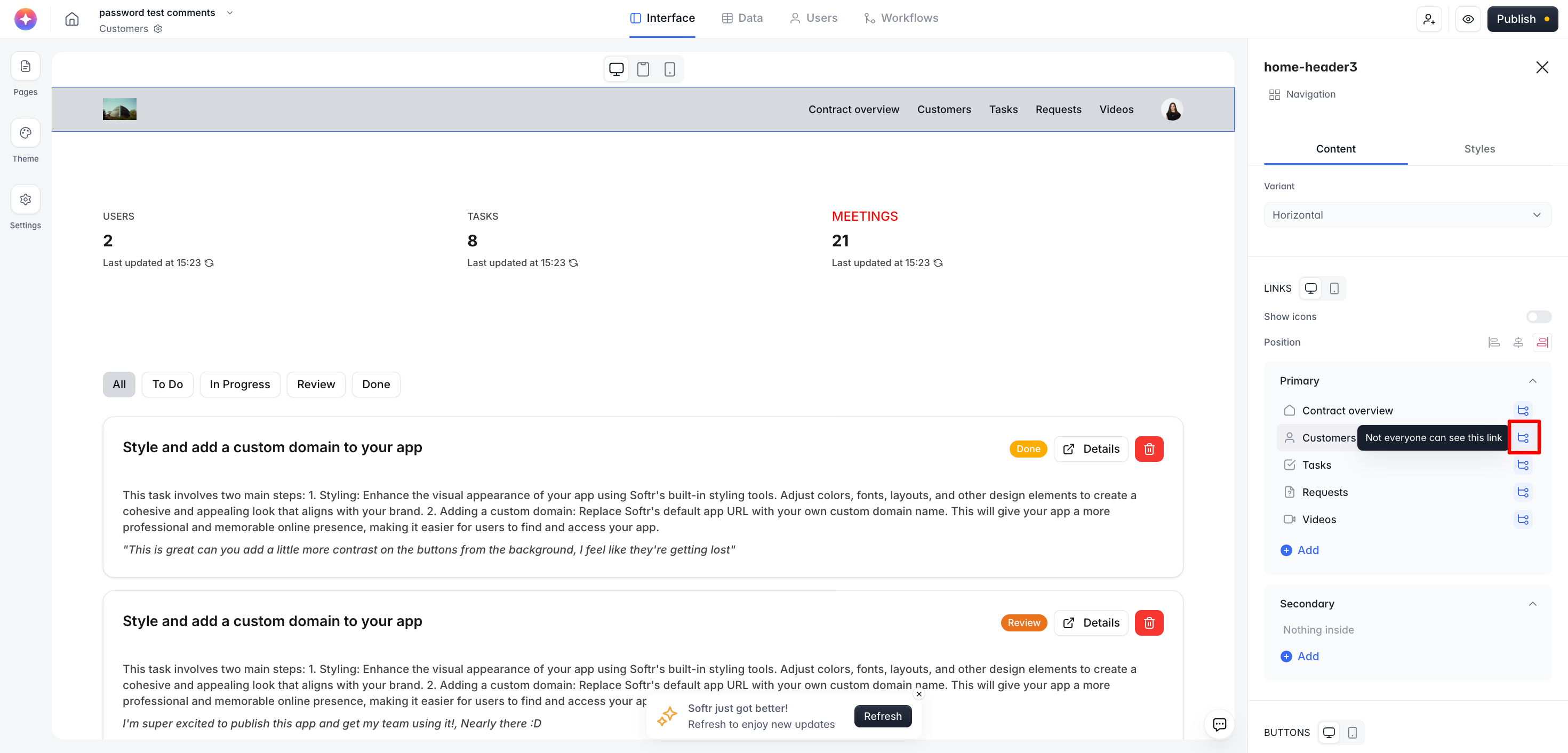
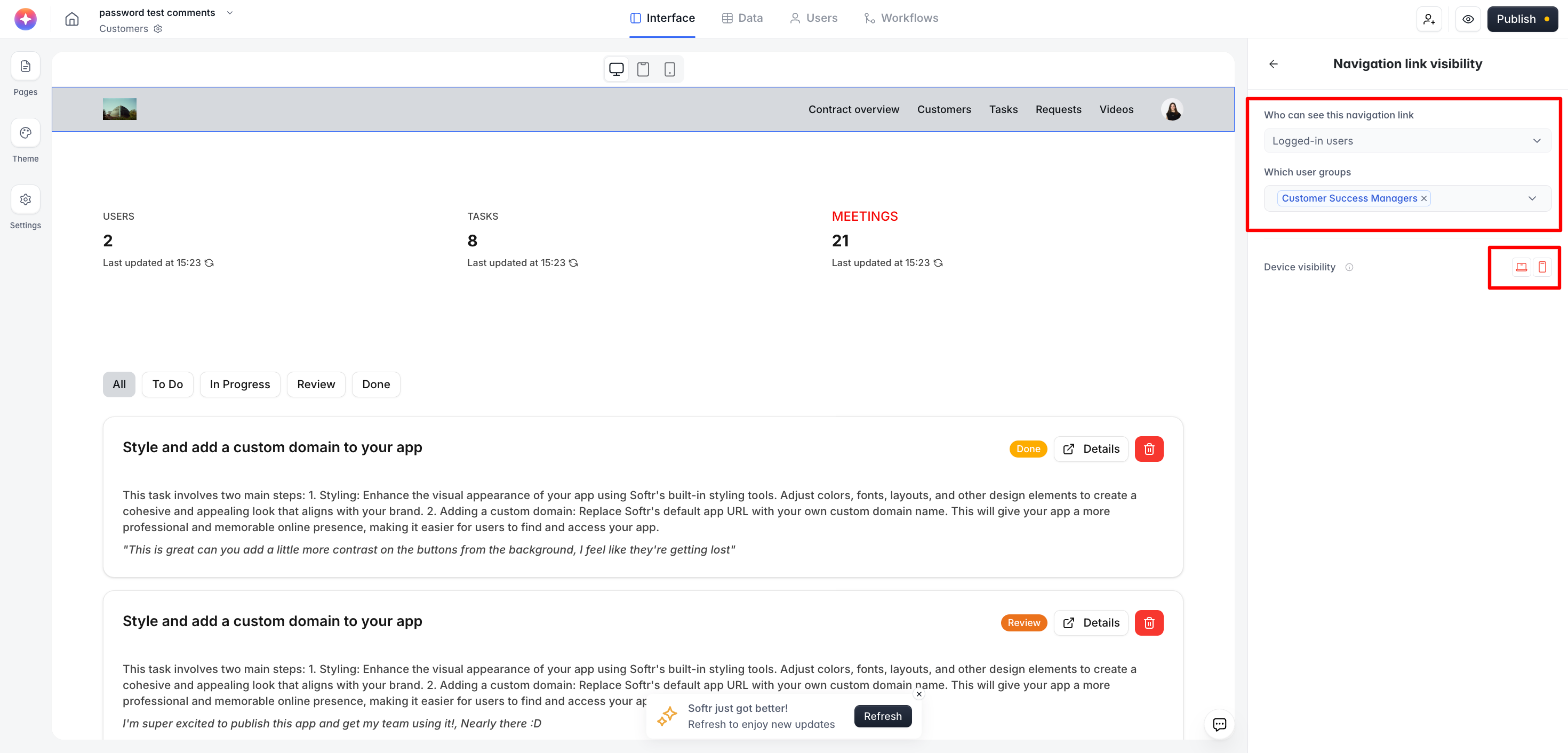
If navigation is enabled but still not visible on the page, please ensure that the visibility settings applied to the individual links in the navigation are correct. You can check this in the section highlighted in the screenshot below.
For example, if you have three links in a navigation and all of them are visible only to specific user groups, and you preview the page as someone who is not in those user groups, then no links in the header will be visible. This is because, according to your configuration, the user does not have permission to see any of them.
I realize this is from a while ago, but if you’re still having issues with the header not showing, try clearing your browser cache or switching to a different browser. Sometimes, changes might not reflect immediately due to cached data. If anyone else has faced this recently, sharing more insights or updated solutions could be helpful!