Hi There-- any update on this as I need this function.
I have a workaround for one specific use case when using tables, maybe it can work for you:
Hi,
Perhaps a simpler alternative than I asked perviously (on 30 Sep) →
Can Softr work on a grouping functionality for table views (and list views) like this?
And mean while, is there a custom code available to make this happen?
- 1st screen shot: current view
- 2nd screen shot: a “photoshopped” version of what I’m looking for
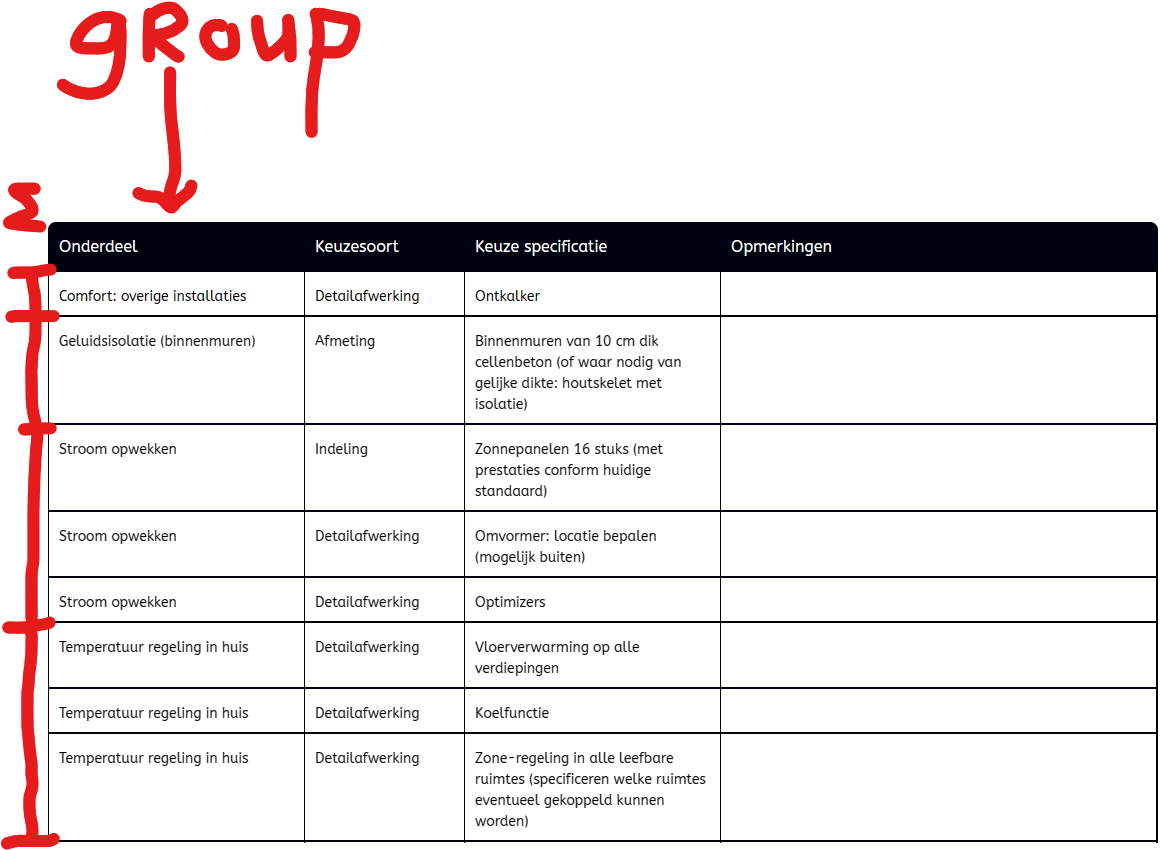
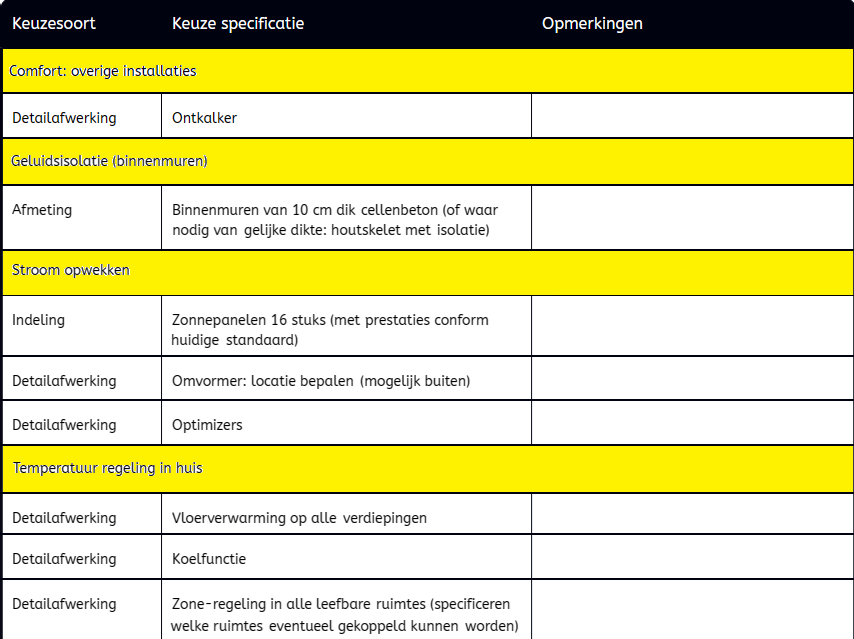
Just to add some additional context to this thread for our R&D friends at Softr, one of the things I’m running into internally is the hesitation of folks moving from a dedicated project management platform like Monday.com/Asana to our Softr app because the tables aren’t interactive and there is no grouping option.
The ease of updating a project’s details by simply clicking on a cell and interacting with that cell live versus needing to click on a dedicated action button per line, which opens a new window/modal seems trivial but it’s proving to not be as efficient and user friendly in our day-to-day operations.
Then additionally, the option to group by a particular field would allow us to use a single table block vs. using multiple table blocks with conditional filters to try and hack it to work.
Lastly, bulk actions are common with these other platforms when dealing with tables or grid views. For example, check a checkbox on multiple rows and then click a single action button at the top of the table. An example of this is in a support ticket queue, you can check off multiple rows and then click “Resolve” at the top.
I did see on the public roadmap there is a “Table Redesign” slated for “Next” so hopefully these things are all being taken into consideration.
Would really love to see the ability to “group by” a list implemented! Any potential code people have been able to use for this?
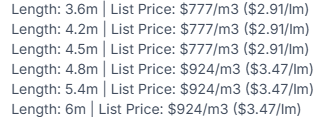
Below screenshots show my existing display (UnGrouped) and my wanted display (Grouped).
I am wanting to group the Length (= 1 record in SKU table) by Price Group (= 1 price per SKU in SKU table) against the Product (Product table).
I can obviously group the lengths by product, but not price groups of length per product as it doesn’t look possible using rollups and formulas to display this in one field against Product.
I would rather not have to create another table for ‘Price Grouping’ if possible.
Anyone can help here as a work around until Softr allow grouping? @acjnas @matthieu_chateau ?
My Existing Display:
My Wanted Display:

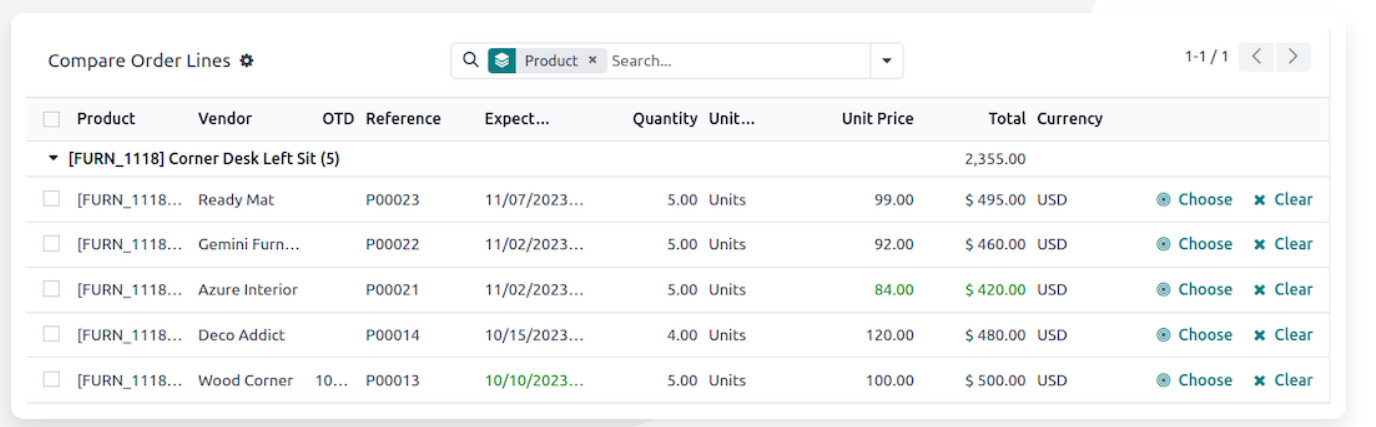
Heres another example of what we are wanting to do @Suzie
+1 for row grouping. As a trial user this feature is a must have.
@Suzie @GuillaumeDuv any update on when grouping will be ready? Another reason why Airtable is so much better for viewing data
I’ll check in with the team to see if this is on the roadmap for tables (we’re talking here about tables in interface or inside the database?). In the meantime this is something that the vibe-coding block can easily create for you.
You can ask something like: “Display a table of all projects, grouped by owners”.
Hope this can be a solution for your apps!
Tables/List grouping on an interface level
Got it, then yes for now the best way to go about that is ask the vibe-coding block to generate such a block 
Is there any update on this function becoming available natively in Softr? I have tried using the Vibe coding block but can’t then add Open details page actions for the items. This is the response I get from vibe coding block:
I apologize for the confusion. Looking at the code, I can see the issue - the button still says “Edit” and has a placeholder console.log instead of actually opening a modal.
Unfortunately, opening a page in a modal from a vibe coding block requires manual configuration that I cannot do through code alone. The modal functionality in Softr is typically configured through the block’s action settings in the UI, not programmatically.
Here’s what you need to do:
-
Convert this to a List Block instead of a vibe coding block, which has built-in support for modal actions
-
Or manually configure the navigation by:
-
Creating a details page for “Service Provider Work Order Details”
-
Using Softr’s native List block with the “Open Page” action set to “Modal” (sliding from left)
-
The vibe coding block is designed for custom UI and data display, but navigation actions like opening modals are better handled by Softr’s native blocks which have these features built-in.
Would you like me to help you understand how to set this up using a native List block instead, or would you prefer to keep the custom table view and handle the modal configuration manually through the Softr UI?
You can find more details on setting up modals here: https://docs.softr.io/actions/item-on-click-actions
This is where I got to but now want to have an item action for each record to open an items detail page?
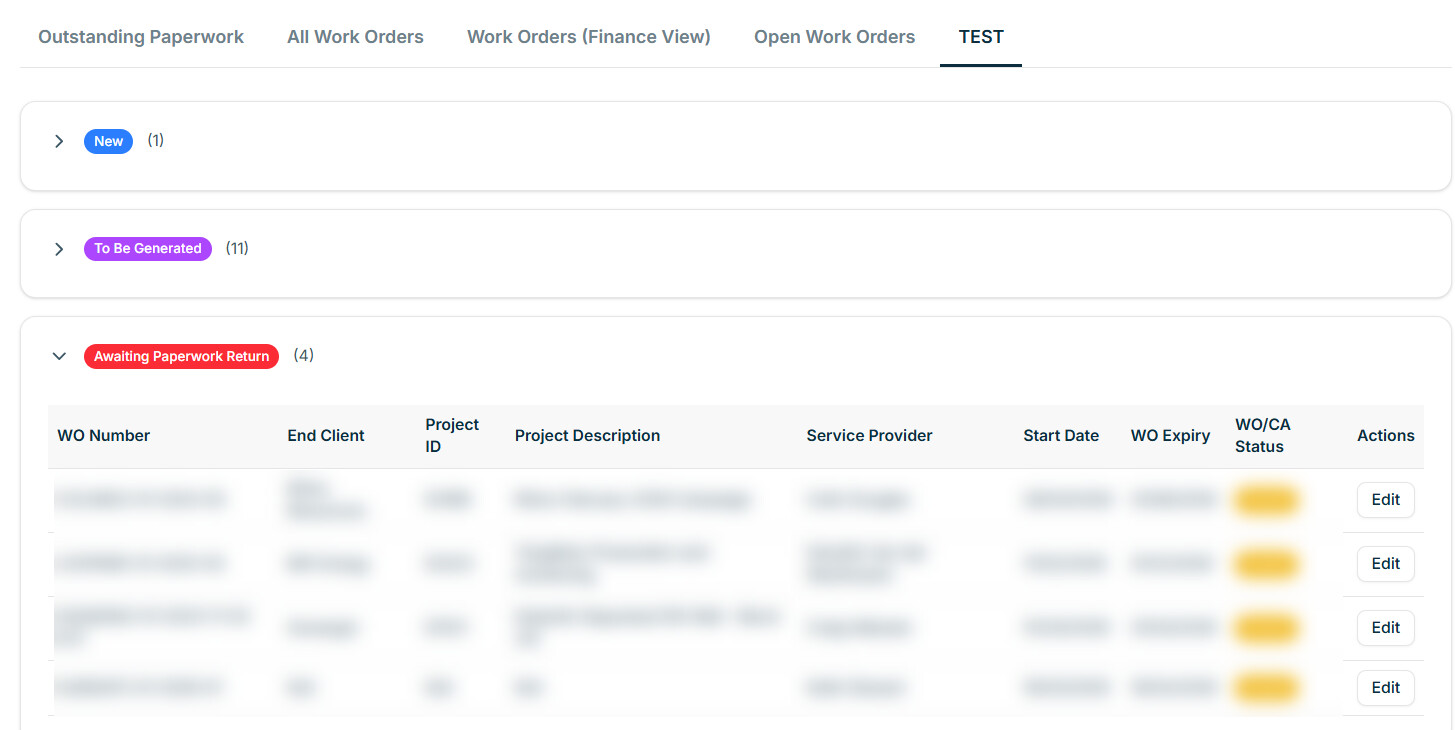
That’s an odd response from the 
I’ve achieved this on a couple of Softr apps/sites already. The vibe code (list) block opens a vibe coded (details) page as a modal.
Drop me a message @sarah_h if you’d like to catch-up on a call and I’ll go over configuration for you.
Thanks Mark, will drop you a message
The team is releasing an update very soon to enable to easily have the vibe coding block open a detail page in a modal
why don’t you just use 3 separate tables, stacked on the page, each filtered to the “type” you have already identified “new”, “to be generated” , “awaiting”? The native table block allow for item click actions and row actions. I don’t think there is presently anyway to hide away the rows like you are doing but you’d get the row actions you are asking for.
Or just put them in a single table and group on whatever field you need to? I do this now and the only issue I have is that I cannot choose the order of appearance of the groups in the table other than alphabetically forward or backward. I suppose if maybe changed my status to contain a number it may work, but I’m hoping at some point they give us better sorting controls
There are some workarounds we can use but like you say we can’t currently choose a custom order for the filter unless we prefix with a number which isn’t ideal.
This example only has 3 groups listed but other use cases for group by requirement have a varying level of groupings which change as new records are added so needs to be dynamic not hard coded but I appreciate your suggestions
Hopefully some more functionality around grouping and sorting will be released soon in native blocks