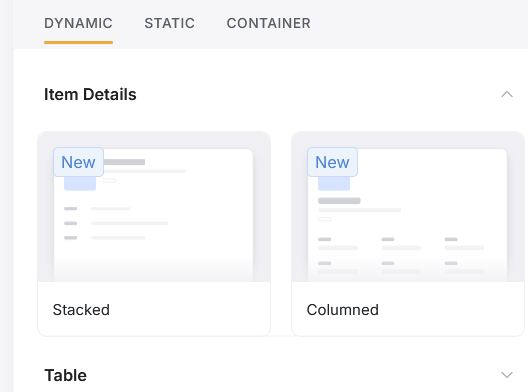
I’ve got a new softr account and am trying to setup some simple articles with a prominent image at the top like any blog or news article.
But for the Item Details page there are now only 2 new block options available which only allow thumbnail sized images. How can I show the article image at a good size at the top of the page? In older softr accounts there were slideshow blocks that allowed this but they seem to have been removed for some reason!
Hey, currently. it is how our newest list details blocks work. But I will let the team know about it to consider when planning further app updates.
Hi i dont know if you still have this issue, but i found a quick fix. I added a custom block with the following CSS code
div[data-softr-field-id=“cover-media”] { width: 100% !important; }
This makes the cover photo to appear fullwidth, but you can change it to the size you need to
Hope it helps!
edit: the css code must be inside < style> </ style> but the softr forum deletes the tags, and the “” may be replaced with other characters so you should rewrite them as well