interesting. This is by default how it should work. Thanks for letting us know and we’ll review it further.
It may just be an issue in studio actually. I’ve only got the vibe code blocks on sliding modals and those display fine on the active site.
1 Like
Thanks for letting us know @jkasman
This is true, I found the same today. When an Item Details block is above a Vibe Coded block, and the viewport changes width (by dragging browser widows to narrower/wider sizes) they do not behave the same way, the VC block card container is often wider than the Item Details block card container.
it seems to be an issue with breakpoints and padding changing from 32px to 64px. I managed to get the VC block to update the breakpoints and padding to be almost the same as the Items Details block so that things all line up on the same page 90% of the time.
Would be ideal if the VC block card container sizing and padding was already consistent without further training.
1 Like
@chomedia The code editing is already live!
Just want to say that this new block is absolutely a game changer. It has allowed me to be more creative with the portal I am building for my work. Thank you softr!
4 Likes
I’ve had incredible first effort results with the new Vibe Coding block. I’ve written a few complaining posts on here lately (hopefully constructive!), so it’s about time to also celebrate some of the major positives of Softr, of which there are many. I have built a fairly complex app aligned with Airtable and did exactly what JJ suggested in his video, which is to create an executive type dashboard, except mine was for project managers. I didn’t specify too much, because I wanted it to spot opportunities for UX that I may have missed. What it came up with was phenomenal. It first produced it without links to data sources. Then I simply asked it to add in clickable links to the data sources and it just did it. Moreover, it provides really clear versioning. It produced a beautifully designed dashboard page with animations and highly professional feel finish. Amazed.
2 Likes
I’m feeling a little bit underwhelmed so far. I haven’t spent a huge amount of time on it, but the two occasions I’ve had a crack at it, it hasn’t worked for me.
The last time I’ve tried is a very simple request, but I can’t get it to work, no matter how simple I try make the request. Example prompt below:
”Create a full width banner image at 300px high from the attachment image in field fldS71gSfi0cXZmnB. The source filters the data to a single record, so use this record.”
All I get from this is ‘no image is found’ etc. If I can’t get past this simple request, I don’t feel enthused to invest my time in to using it further. Would love to hear any suggestions where I might be going wrong.
Try starting small and incrementally developing your ideas and aims. With data in the Softr database, webhooks, workflows, I’ve get it to do all sorts of things that are not so easy/impossible with other out-of-the-box blocks
For the example you shared, try this, after setting your source and filtering as usual for any Softr dynamic block:
Display the image in field fldS71gSfi0cXZmnB
It can also be useful to specify both fieldid and field name if there’s any issue with the block identifying your data.
It would be odd for it not to display the image at this point, so I hope it is successful.
Then, prompt:
Display the image full width
Next, prompt:
Limit the image height to 300px
Sometimes you can chain requests into a single prompt and they are successful. Other times, particularly when it’s not doing what you want, it’s worth breaking prompts down to single commands like those above.
Hope it all works out.
2 Likes
Hi Mark,
That’s really helpful advise, thank you very much! I’m starting to make progress taking this tact 
Thanks a lot! 
1 Like
Hey all,
I’ll be honest, if it wasn’t for this block coming out, I would of likely have left as a paying user of Softr simply because of how limited the original blocks were in terms of functionality and styling. I have since rebuilt majority of my agency’s client portal using this new vibecoding block. I figured I’d share my specific use case + strategy for it as I have found a few workarounds to build better and more powerful components using this block.
I’ve just discovered a very powerful and unqiue use case for Softr and to which the vibecoding block has now made possible - I have automated dynamic data proposals to automatically send out to my prospects.
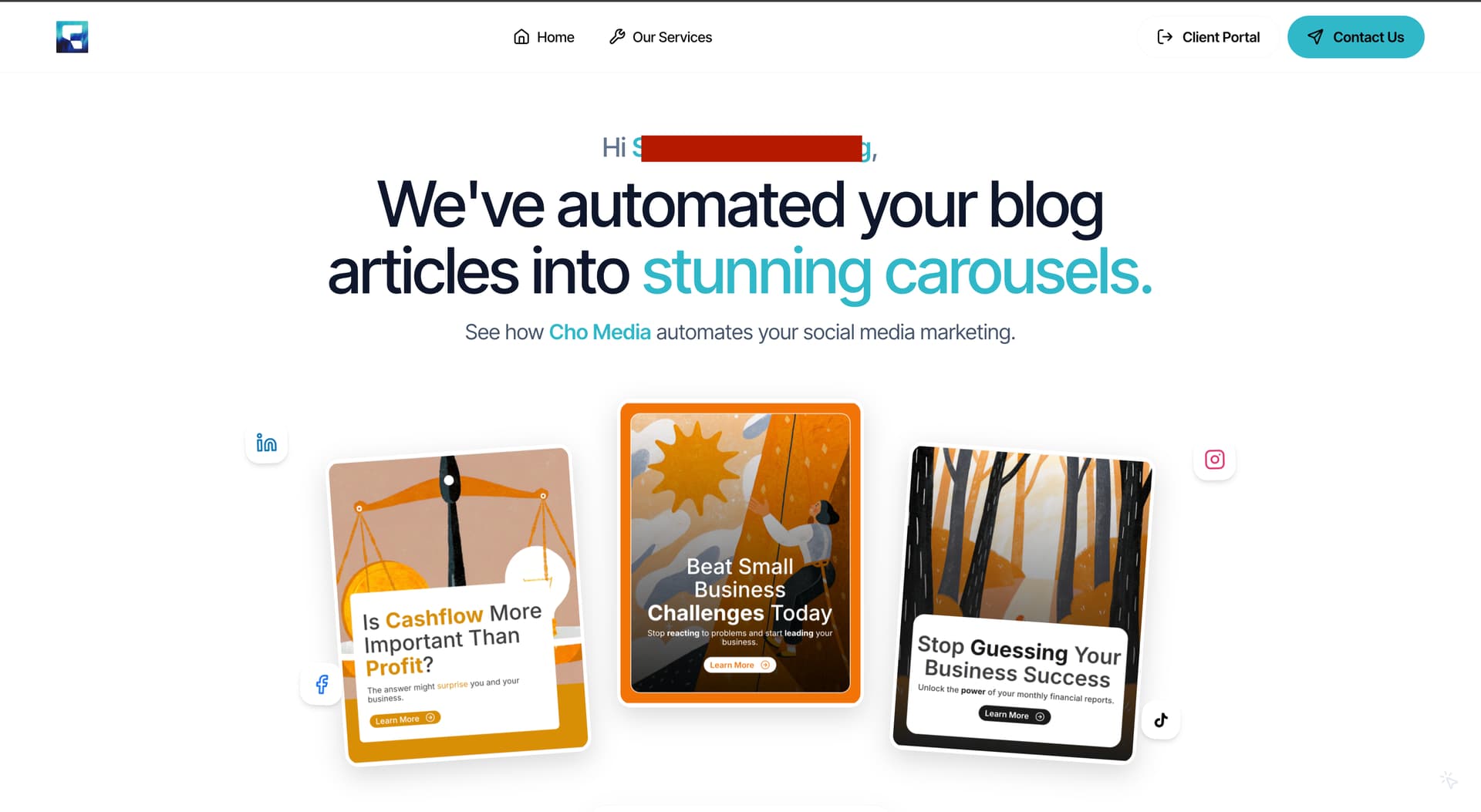
For context, for the past year I have been building an AI automation agency that builds custom social media carousels for my clients. I have built a “Lead Generation” automation to work in tandem in this for new prospects which will automatically generate 3 carousels (matching their brand colors too), and sends them a “public view” link to a proposal page which has vibe coded components dynamically mapped to my Airtable.
The image shown, is the landing page of this dynamic proposal which showcases the 3 Carousels that have been created in a very beautifully animated way (I’ve censored the Prospect’s name for privacy reasons).
To be perfectly transparent with you, using the normal chat feature of the “Vibe Coding Block” will not allow you to achieve something to this level of design as I’ve tested before. I use the Vibe Coding block moreso as a “code block” and use Google Gemini as the designer of my components.
Let me preface that I’m not an avid coder by any means - I don’t know how to read code. So creating something like this should be accessible to anyone.
My workflow process is as follows:
STEP 1. I map out all the fields I want this Vibe Code block to use. It’s important you plan and write this out first before you start creating your component.
STEP 2. I then prompt the vibe code block to “Create an empty block, but include the fields I want inside of the code content”.
This code content now contains the specific structure Softr uses to import your airtable fields for its vibe coded components.
I can now use any kind of AI editor to create the frontend design for me, and work instantly for Softr.
STEP 3. I go to 21st.dev to find components that I like the design of. I copy the code of the specific component, and instruct Gemini 3 Pro to “clone this specific component”.
This is now where I can prompt AI to create the exact component design I am after. I use placeholder text and information for now until I get the component design 100% correct.
Tip: Always ask AI to prioritise stability in the code and optimise it for Desktop, Tablet, Mobile screen sizes.
STEP 4. Once I’m satisfied with my component, I’ll then copy our vibe coded block’s code content from before and instruct AI to integrate the fields into the code to make it dynamic based on the structure of the existing vibe coding block.
IMPORTANT:
A) You must mention to Gemini to comment out “import { useRecords, q } from ‘@/lib/datasource’; & import { useCurrentUser } from ‘@/lib/user’;” in the code. If you do not do this, Gemini will usually run into an error when previewing, and instantly replace your code with Mock Data instead. You should also hardcode some Mock Data so that you can preview your component correctly inside of Gemini as well.
B) If you intend to use your brand colours in your Softr block. Mention to Gemini to “Replace any mention of [BRAND COLOR] with bg-primary or text-primary”. This is how Softr handles adding your accent colours to the blocks it codes itself. Please note, since this color variable is not mapped inside of Gemini, it will appear as black. If you ask Gemini to hardcode your brand color as well, this should allow you to see it in Softr and when you preview in Gemini too.
STEP 5. I then paste this finalised code as a new version in the Softr Vibe Coding block. I’ll uncomment out “import { useRecords, q } from ‘@/lib/datasource’; & import { useCurrentUser } from ‘@/lib/user’;” in the code + remove the mock data used in the code as well. Gemini is pretty good at writing comments in the code specifying what you need to add/remove when importing this back into Softr.
STEP 4/5 ALTERNATIVE:
I find this works more successfully if your coded component is quite small. Since we don’t know how exactly the Softr AI Agent is prompted, my solution may not be the most robust or optimised.
Instead of getting Gemini to map your Softr fields, you can paste your designed component into Softr and get it to handle the mapping instead by prompting it. Just be sure to specify the specific fields you want to use inside of your prompt, and specifically where in your code this should be mapped. I find Softr does a good job at handling all of this, however longer codes (600+ lines) often results in timeout errors.
And that’s all!! Hope all of this information is useful for you. I wish there could be a little more documentation on Softr’s end on how the Softr AI Agent works, which libraries it imports. I think this would be really helpful in making this process more efficient and robust for everyone.
Best of luck!
7 Likes
Thanks @chomedia. Do you have a link to a demo we could use to verify the speed, stability, and usability of dynamic data blocks pulling from different sources like Airtable, Google Sheets,… with your vibe coded blocks?
Hi ! As an association working in sustainable development, I’m very sad to see it is not possible anymore not to use AI for static blocks. We know how energy consuming it is. Can you please let the old block available ? Also, the syles are not consistent with the other styles in Softr. For example, the texts in general are way to big and it gets too much time to know exactly the pixels we want to be consistent with other blocks. I tried to edit the code but in the end it’s more efficient to me to use custom block and do exactly what I want because the styles are shared within the page while it’s only available in the block with the new static blocks.
Another big update for the vibe coding block, you can now connect multiple data sources to one vibe coding block!
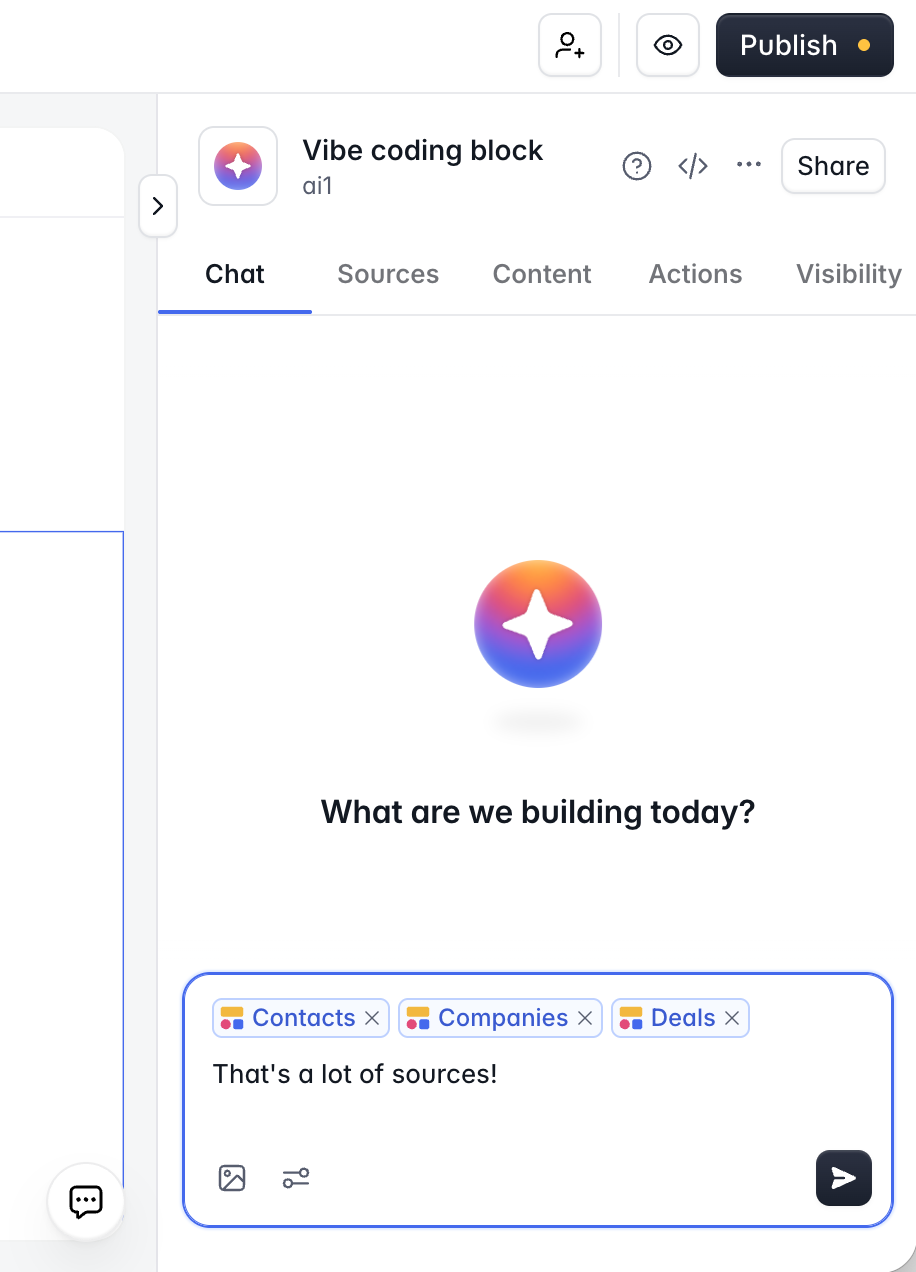
Some very nice use cases are everything related to advanced interfaces that need to show and allow to manage records from related tables. For example a GANT chart block where you can manage projects and related tasks, contacts & companies, etc.
Feel free to give it a try and send feedback our way 
1 Like