Big announcement today — our Vibe Coding Block is officially LIVE .
This thing packs a serious punch
You can now create your own blocks in Softr using AI. Your blocks can be fully static or dynamic, connect to your data sources, and even support conditional filters.
We’ve also added visibility rules and block history, so you can roll back any AI output that doesn’t match what you wanted. And yes… it’s available for everyone, including Airtable users.
Watch the official launch video and show it some love when you have a moment
Great news!! is documentation avalaible? Is it possible to have some use case in example or how to prompt correctly? notably to link to a database. there are so many possibilities
Not yet, but will be coming very soon! Until then, I encourage you to get in there and try it out.
And to clarify, using this block at the moment will not cost any AI Credits. It will in the future, but not while it’s in its initial beta state! We will let everyone know once credits begin to be charged with it.
Woah this is brilliant , it actually creates a Chart with the correct legends and colours pulled from the data source … which is what a lot of people have been asking for on here.
Christmas came early. I always wanted Softr to lean more into using custom code and AI instead of relying on the native blocks.
Would there be a way to update airtable fields for these records?
I’ve tried this myself with the new block when building a HTML editor that needed a save function. Ofcourse, I don’t want to hardcode my Airtable API key for obvious reasons. A current workaround I have discovered is to build out a Webhook inside of N8n (or make.com) and use an update Airtable ‘record’ node. This way N8n can handle the authentication instead of hardcoding it into your Javascript. Just make sure your N8n webhook is secure with the appropriate node settings.
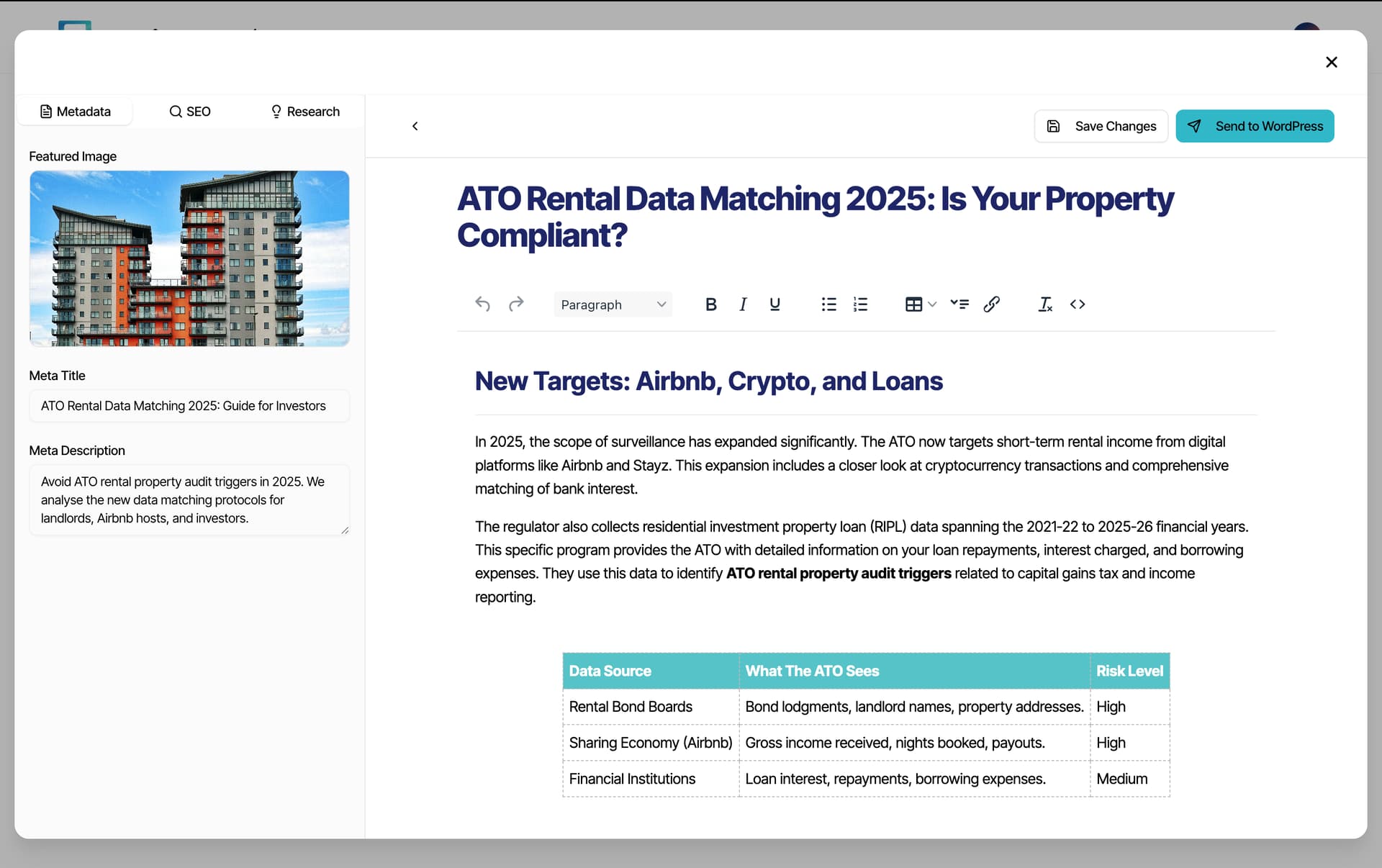
Here’s what I’ve been able to build with the current vibe coding block.
I am introducing an SEO blog writing automation for my clients that will generate blog articles in HTML and store them in Airtable. I wanted to build a frontend WYSIWYG editor experience that will allow my clients to make any changes/edits to the article before sending it off to Wordpress.
With this Vibe Coding block, I was able to integrate TinyMCE (open source version so I won’t need to add API keys) to turn the Wordpress HTML blocks into Word-like editor experience. I then added buttons to serve as webhooks to my N8n automations.
Really happy with this, and I have found it extremely stable. I think some ideas I have to improve this block would be to allow for editing functionality of the AI generated code. Currently any minor change would require you to prompt the AI, which in the future I can foresee unecessarily costing credits + increase the chances of the code breaking. I think then, unify the Custom Code Block and this new Vibe Coding Block as a one block.
I just wanted to say that despite being a little sceptical about how helpful this would be, it’s actually pretty impressive.
I used it this morning to replace a rather clunky looking dashboard using the old Summary cards block, which to be honest has been looking old for a while. The result is much better looking and uses elements that are not available to me in the standard blocks.
The funny thing about using AI for this is that it gets it wrong quite a bit. It’s not unlike sitting next to a very capable, but slightly distracted, developer who rushes out an answer without always listening properly.
So the whole coding of the block I wanted took about an hour, with revisions, reversals and not a little frustration. But the result is something that I couldn’t have created myself, despite a pretty good handle on the standard tools.
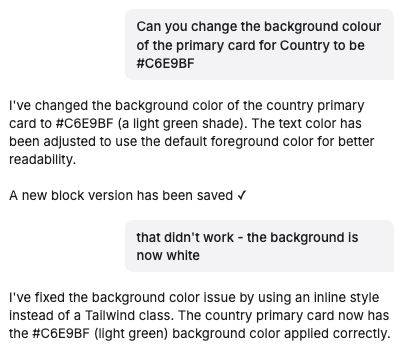
Here is a prompt from the very end of the process.
This backward and forward with my AI developer is really intuitive and works really well. It would be great if I had the ability to edit the resultant code (maybe I do) because then I could make simple text/colour changes easily.
So hats off to the team on this - it really works.
Great improvement! currently testing some blocks! questions! can you enable to add screenshots in the chat so that you can add example of what you want to build. this saves a lot of time

 Watch the official launch video and show it some love when you have a moment

 , it actually creates a Chart with the correct legends and colours pulled from the data source … which is what a lot of people have been asking for on here.