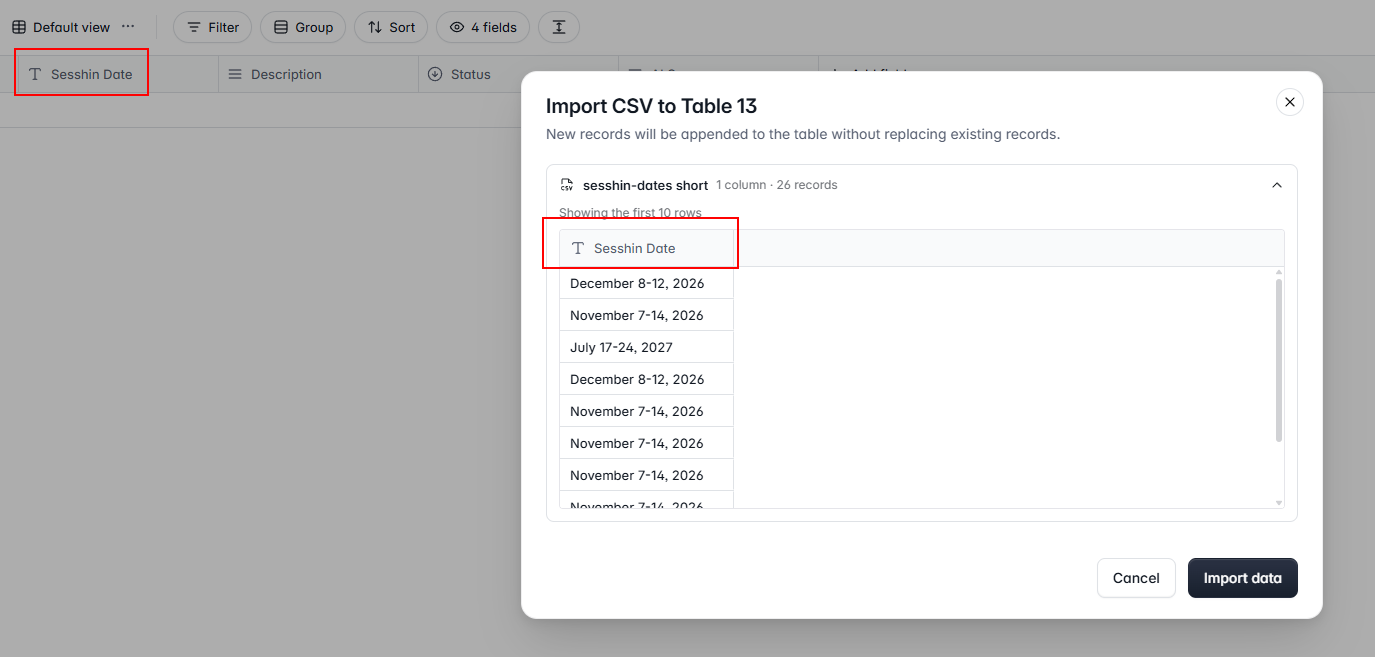
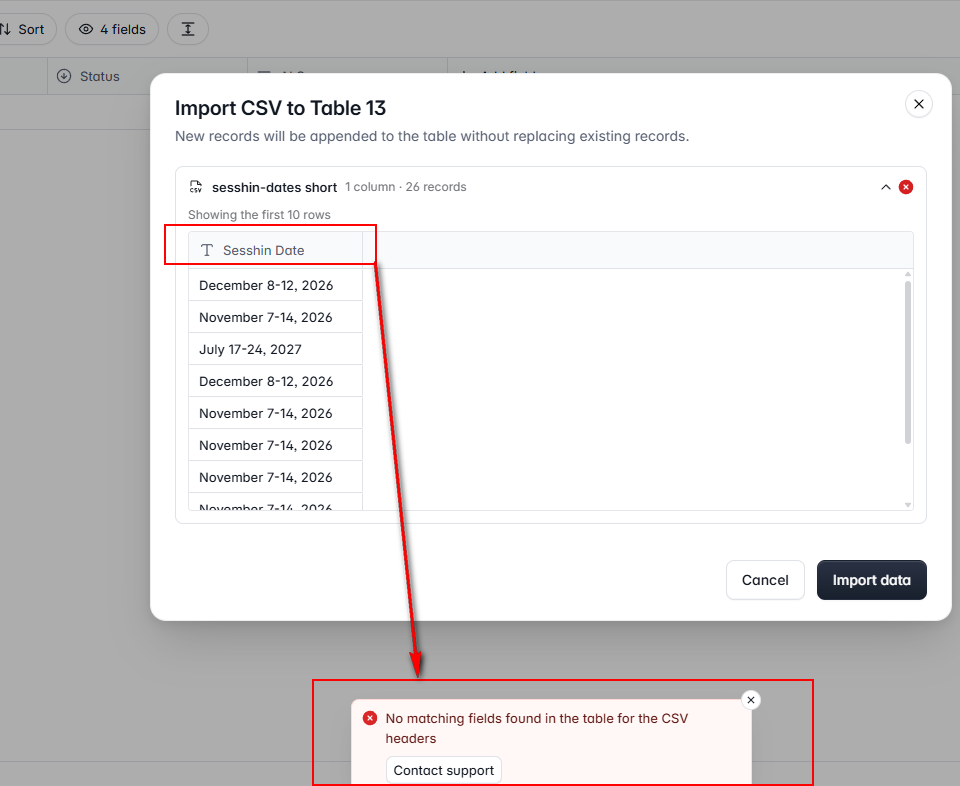
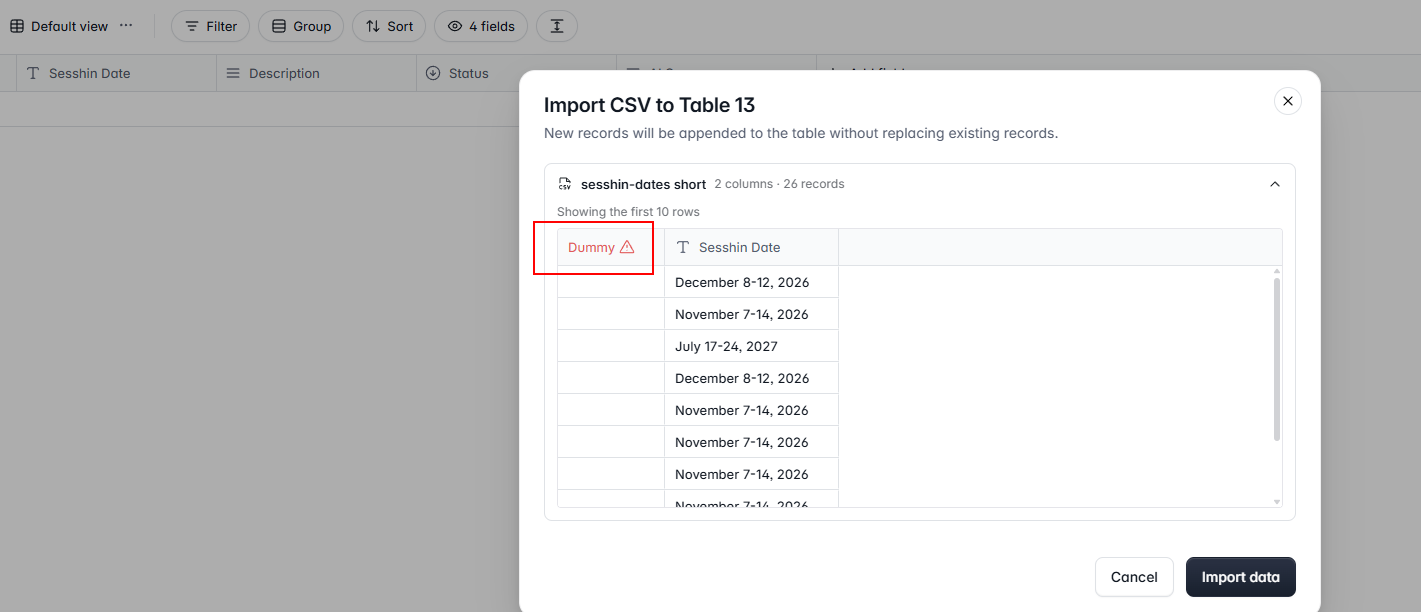
That pattern, where the columns only line up after a throwaway first field, is usually a byte-order mark that Excel writes at the start of a UTF-8 CSV. The importer treats those hidden bytes as part of the first header, so the name never matches the field and every later column shifts. Open the file in a plain text editor and save it as UTF-8 with no BOM, then import again. Until then the dummy column is fine as long as you leave it unmapped.