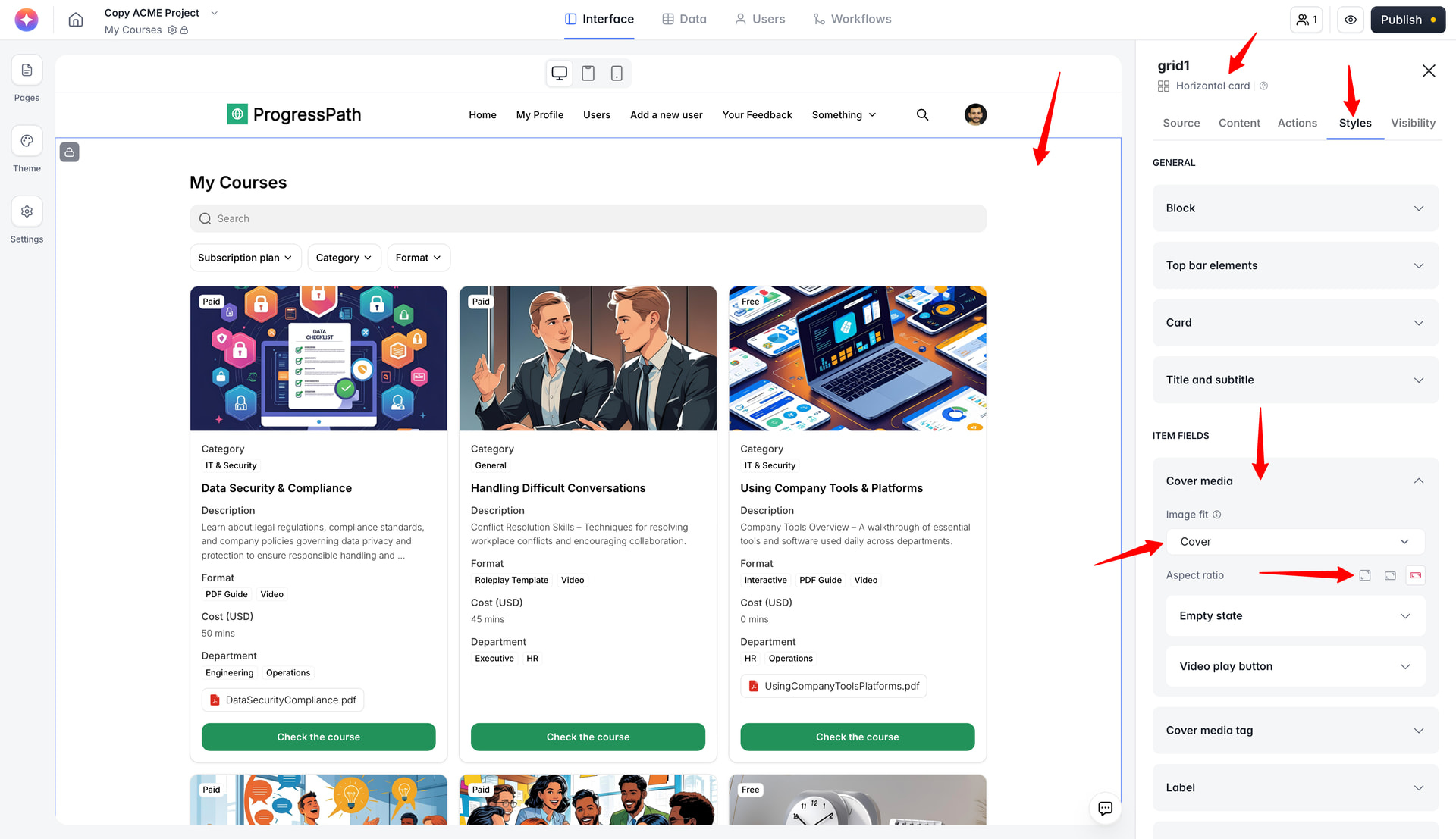
Hi,
I’m building a public comparison page in Softr using an Airtable-connected Grid block.
The Grid block is using the “Horizontal card” layout, and I’m mapping an image URL field from Airtable to the card image. The image loads correctly, but the scaling/cropping is not ideal for product packaging images. The product image is being cropped/zoomed in, while I would prefer it to display with something like object-fit: contain, so the full bottle/package remains visible.
I checked the block settings, Content tab, and Styles tab, but I do not see an obvious option for image fit, crop, contain/cover, or image positioning.
My setup:
-
Block: Grid
-
Layout: Horizontal card
-
Data source: Airtable
-
Image source: Airtable image URL field
-
Use case: product comparison cards
-
Desired behavior: show the full product image without cropping
Is there a built-in setting for image fit/cropping in the Grid block that I might be missing?
If not, what is the recommended workaround?
For example:
-
using a different Grid/List layout
-
changing the image dimensions upstream
-
using a different Airtable field type
-
custom CSS
-
another Softr block better suited for product cards
Thanks!