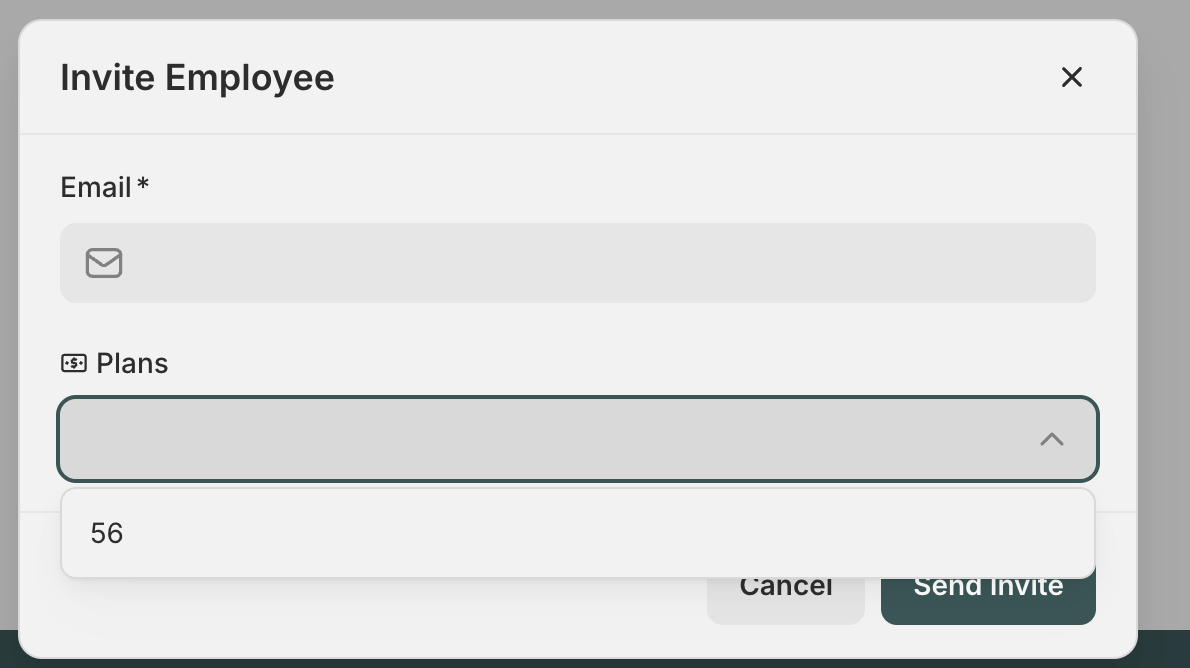
During a new record creation form, we have a field who is a dropdown from a related record. During the production, what users see in the dropdown are the IDs of the table records, but the IDs are not human-readable. We want to show them the names of the record, so basically name is another column. Is there a way to do this?
In this table 56 doesn’t mean anything to user, it has a name in the name column of same table. I want user to be able to see the name and select it via name. And name is not unique identifier, so we can’t make it primary field.
I see. For the related/linked records, the only fields that can be mapped to the dropdown are the primary field and the record ID. If the record ID is the primary field, it will be the only field usable. If you want to use another field for the dropdown, you will need to change the primary field to something different, in this case, to the field that you need to use, like name.
When it comes to linking records, we accept both the primary key value and the record ID. This allows you to use more human-readable primary keys, as long as they remain unique (for example, an email or company domain).
That said, your automations may still rely on record IDs. For instance, you can filter based on record IDs and use lookups when you need to retrieve one. Overall, there are clean ways to handle this setup.
Confirmed with support that you can make the Primary Field a name and use that for relationships, and softr DB will store it underlying as a record ID so you don’t have to worry about relationships getting messed up by duplicate names or changed names.