I use a softr modal I use “publish” new project drafts to my customer’s project within the project portal. The modal contains a rich text field where I provide some commentary about the changes that have been applied in this current draft I am publishing. I often find myself re-typing the same type of things into this input field and would prefer if it contained some template text that I could modify as needed in the modal rather than re-typing the whole thing over and over again each time.
in case anyone is following… I tossed this request into my preferred GPT AI tool and got a suggestion to use a browser extension to store pre-canned snippets of text that I commonly use. Then keyboard shortcuts to insert the snippet when needed.
The AI recommended an extension called “blaze” and Surprisingly, this actually works. I will see how it actually functions day-to-day, but technically it is achieving the base requirement. Though I would much prefer something within the softr platform to achieve this.
No, i wouldn’t use that extension. I would simply use default values within your DB for all new records that are added. Or, if that is not possible, an automation to fill in the value of the field whenever a new record is added. Many ways to do this!
I’ve been using the chrome extension and it is working pretty well. I have crafted a few snippets of text that I commonly use which are then available to “paste” into the text box when called up with a “/word” combination. Though this requires me to remember the shortcuts I create for each snippet.
This is a similar result to what I had envisioned except I was hoping that I may be able to create a few text variations that are stored within the data entry modal and I could select one or more of the text variants with a radio button and have them populate the rich tech text box, without relying on an external extension.
I am unsure of how the extension is “works” and/or if it is a security risk since it is clearly “watching” my typing looking for a specific combination of characters sort of like an amazon echo listening for the word “alexa”. It seems to only activate when I am in free text field within a web page.
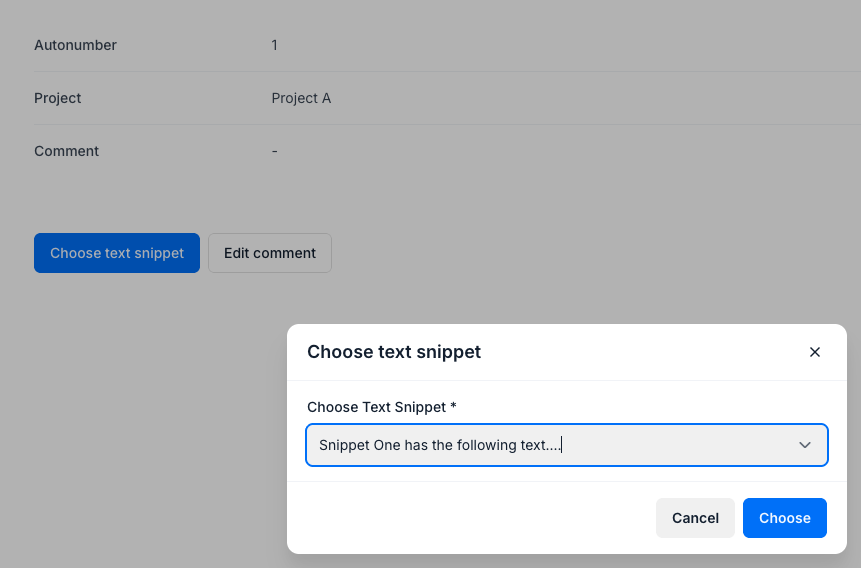
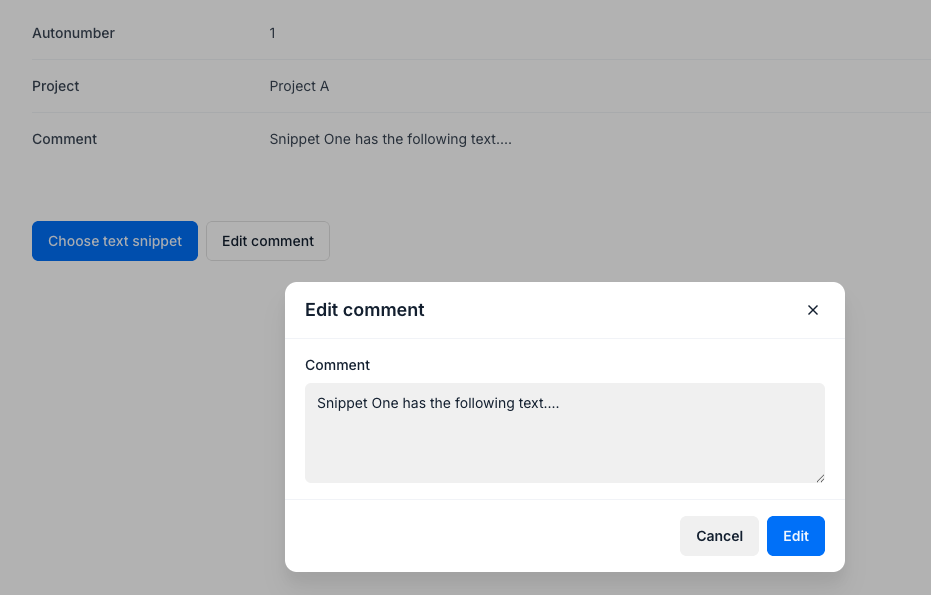
They are both editing the same comments field, the first one as a dropdown, with options set within Softr, the second as a normal edit of the field which now contains the snippet.
ehhh… That looks clunky. This specific content is only one of 6+ fields that are to be filled out at the time when that record is being created. I’d really not prefer to make this into a multistep process. The snippet extension is working wonderfully. I think within the softr app I‘d be looking for radio buttons to allow me to select one or more text snippets to be placed into the rich text field, while still allowing me to edit that rich text entry on the fly
If you are using for example a form block, then I think this can be fixed with a little custom code. If you are using a modal (like add record) then it is harder.
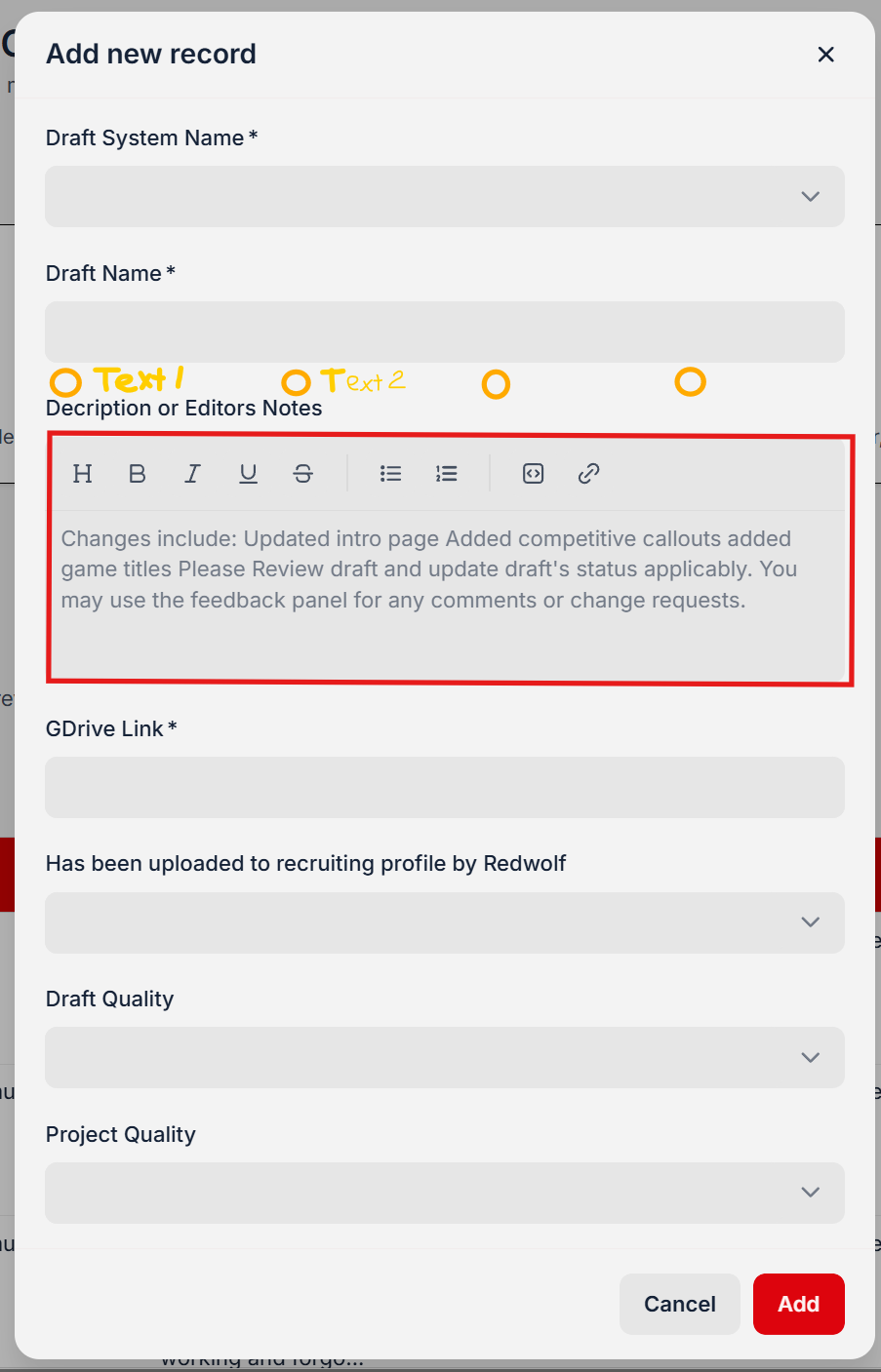
Data entry is an “create record” action button modal adding a record to a list block. The description field highlighted below is the field I need to populate with a variety of boilerplate texts depending on what was done to the video we are posting for review.
Company admins are the only ones that see this data entry modal. Presently I am using the browser extension, which allows me to preconfigure stock text entries and then insert them into the field by using a slash command. (for example “/rev” will insert a short paragraph with instructions on what the customer should be reviewing in this draft video)
What I envision is a set of a set of radio buttons within the modal allowing me to choose 1 or more radio buttons to insert the related text into the rich text field