🎁 Day 4 of 12: Mentions in Comments

We just rolled out a small update that makes a big difference in how teams communicate inside Softr apps.

You can now @mention teammates and clients directly in comments, creating a more chat-like experience and making sure the right people are pulled into the conversation at the right time.

See how it works: Day 4 - Mentions in Comments | Softr

When someone is mentioned, they’re notified automatically — no more missed context or follow-ups outside the app.

How to enable it:

  • Go to Comments
  • Open Comment Settings
  • Turn on Mentions

If you’re using comments for reviews, approvals, or internal collaboration, this should feel like a great upgrade! Enjoy :blush:

3 Likes

This is amazing and very much needed! Any chance we’ll get in-app notifications or push notifications for it?

1 Like

In-app notifications, I think so, but not push notifications, as the infrastructure required is different than what we use for web apps.

1 Like

Is the mail the user will get editable because of language like the other comment mails? @Jjenglert Didn’t find a setting for this.

Btw I tried it but my mentioned users didn’t got notified since about 10 minutes for now.

Came but with a huge delay.

I will check whats the time window… but def not instant :slight_smile: could be anything between 5 - 15 mins

This is great :slightly_smiling_face:, I have a question :thinking:

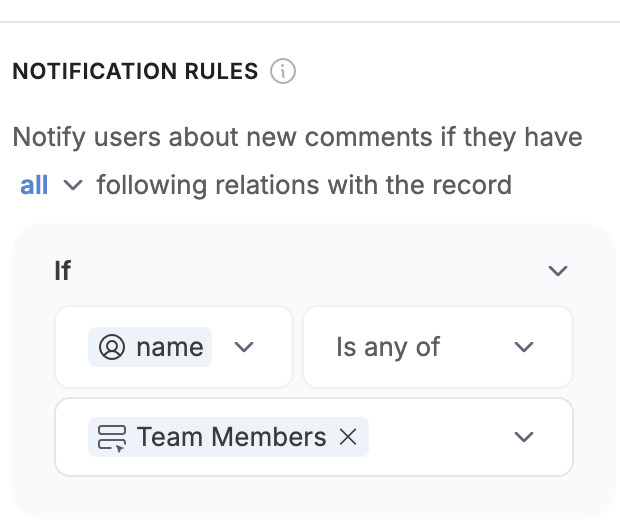
I have a field in my data source (ClickUp) that contains all the Team Members that I want to be notified should a comment be left as per the Notification Rule …

I’m wondering if there’s a way of differentiating in the notifications e.g. at the moment everyone gets notified if someone leaves a comment and the message says “New Comment in …” - is there a way to have a different notification that says “ … user tagged you in a comment”?

I’m wondering what’s the best practice for this setup :thinking:

Thanks.

Hi! Spoke to the team about this, and it’s something we are working on adding. Thanks for your comment!

1 Like

Has comment notifications been enabled for Airtable ?

Thanks

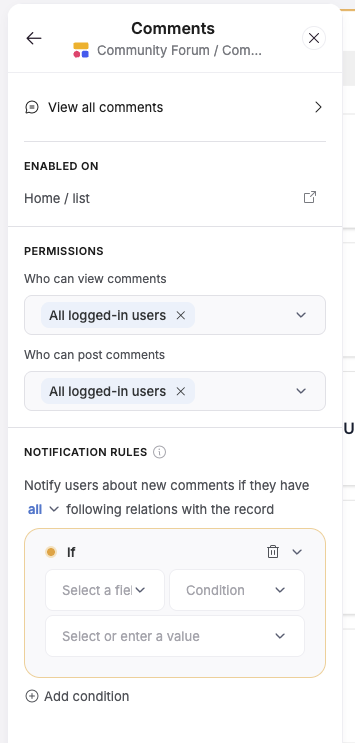
You can setup notification rules here:

This way you can add yourself as an “Admin” and then a OR condition to the other users who should get this notification as well.

Hope this helps!

Could update condition to not include you if the creator email of the comment is your email?