It remains ghosted. What’s the point?
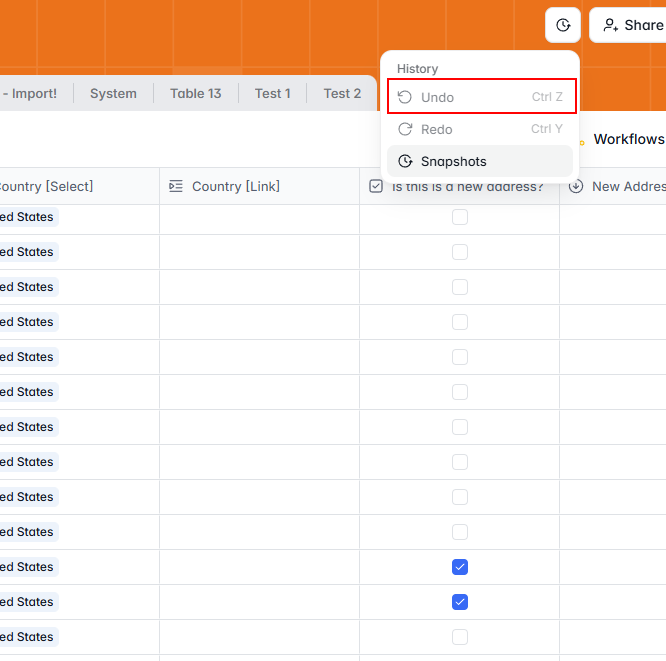
Undo in that History menu only reverses cell edits made in this tab since you opened the table. It stays greyed out after a refresh, and it never enables for changes that came from another person, a form, a workflow, or an import. Those are already saved, but they are not on this undo stack, which is why both Undo and Redo look ghosted while Snapshots is still available.
For the checkbox edits already in the table, open Snapshots in that same menu and restore the one from before the change.
To confirm the button itself works: change one cell, do not reload, click back on the grid so the History popover is closed, then press Ctrl Z. Undo should light up for that edit. If a brand new edit in the same session still leaves Undo greyed out, that part is a bug. Note the field type (checkbox versus text) when you report it, since checkbox commits are the case that most often skips the undo stack.
Yes, that works. It seems to be working for checkboxes now, as well.
Thanks
Thanks for the explanation. I did not see that Undo button yet.
I must nonetheless notice, that it only works for edits, and not for deletions - that option would make me safer while working in the DB.
Snapshots are the safety net for deletions too, restoring one spins up a copy of the database from before the delete so you can copy the row back. A status field flipped to archived instead of deleting works well as a soft delete.