It’s a priority for this quarter, but we don’t have a timeline yet unfortunately.
1 Like
 all the features I’m waiting on keep getting pushed back
1 Like
@austinyang this thread explains what I’ve been trying to do. Although we now can apply custom colours we can’t assign based on value e.g. status.
For example if I have a load of tasks with status ‘Not Started’, ‘In Progress’, Complete’, ‘Not Started’ then I need to assign specific colours for these statuses. I don’t see this option available given the new update. The same would go for things like ‘Risk’ categories where we’d want Low to be green, Medium to be yellow and High to be red. If we then didn’t have any low risks how do we ensure the rest are still coloured correctly?
We also can’t sort the values ‘as defined in source’ so only solution is to prefix values with numbers which just doesn’t look right for things like status.
I’ve been waiting ages for this update and looks like the requirements haven’t been considered when rolling out the update
@sarah_h conditionally setting colors is work in progress and will be available in January, we wanted to release first batch of features first
2 Likes
Ok thanks for confirming. I was worried that this new update was it and the conditional colours wasn’t being implemented. Looking forward to the additional update in January. Good to see the multi metrics options now available too
1 Like
@artur any update on this?
2 Likes
+1
Hey everyone,
It’s been a long-awaited feature, and we’re excited to share that Chart Block Conditional Coloring is now live! 
You can now enjoy conditional coloring support for Chart block.
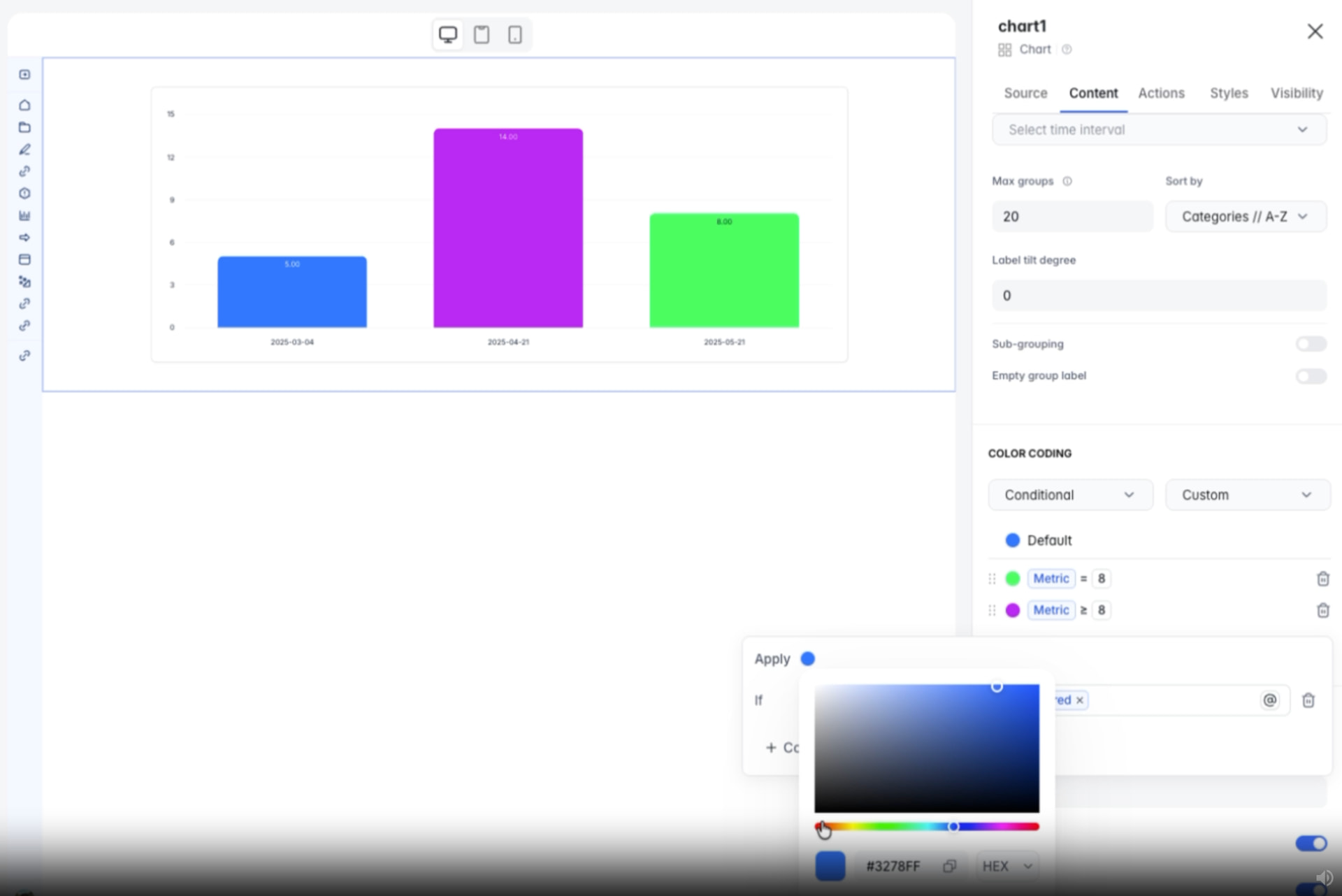
We hope this enhancement helps you create even more dynamic and insightful dashboards. Enjoy exploring the new feature!
1 Like
Hi Suzie, really excited for this however doesn’t seem to be working for me? I’ve gone into a chart and added custom colour but says no options defined?
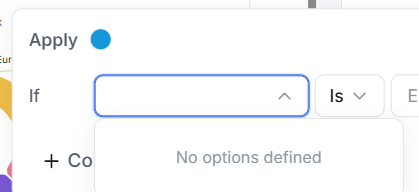
Hey @sarah_h this issue is fixed now, please feel free to retry.
Best,
Thanks Andranik. This unfortunately doesn’t yet work for text based values only metrics but apparently coming soon 