Hey guys,
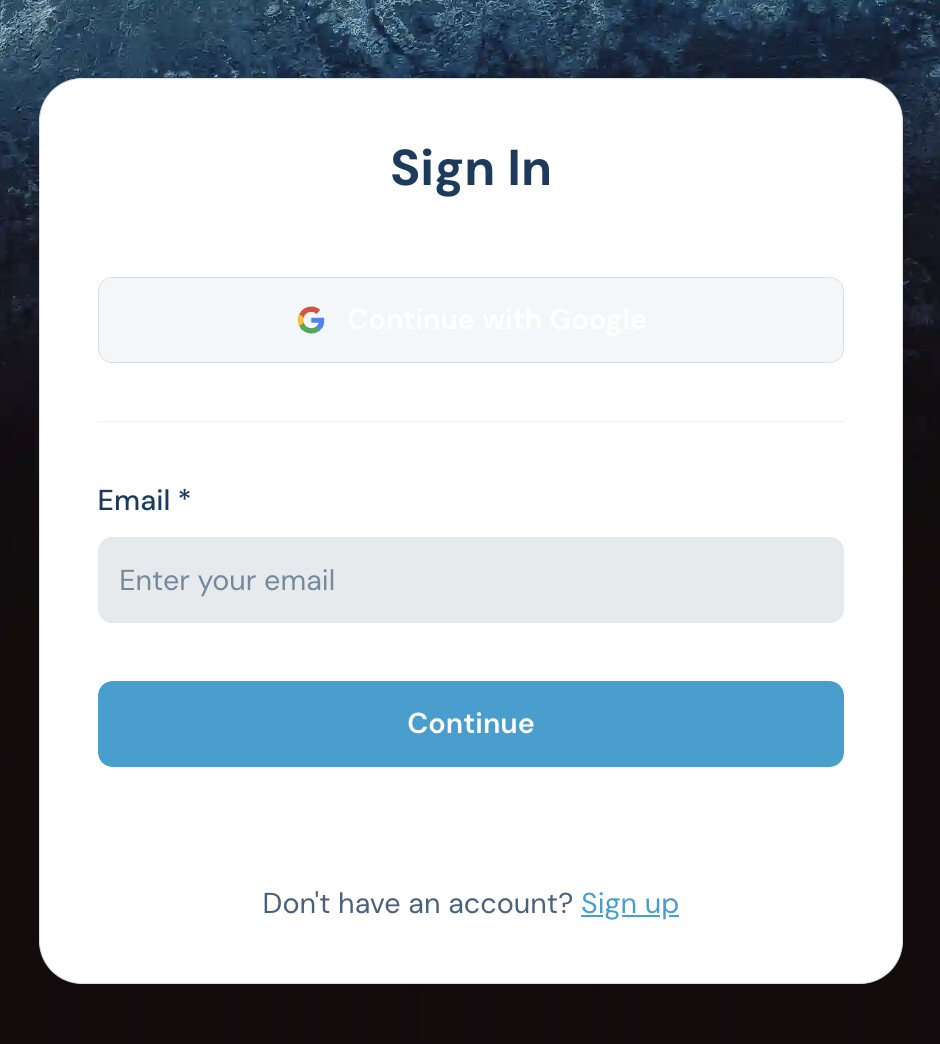
I want to change the “Continue” button here to have white text.
Is there any way I can do that?
Not finding it in the style section of the block or in the app’s theme.
Hey guys,
I want to change the “Continue” button here to have white text.
Is there any way I can do that?
Not finding it in the style section of the block or in the app’s theme.
Hi Tim,
I guess custom code is needed since it doesn’t align with the global app theme setup
<style>
#user-accounts1 button {
  color: #FFFFFF !important;
}
</style>
Hi @matthieu_chateau !
I’m “piggy-backing” on the subject (hope its ok)
I would like to translate the text on the sign-up button to “Enregistrer” instead of “Sign-up”…
Would you have a solution for that ?
Thanks for your help !
@Jjenglert Can you address this? This should be something native.
Noted and shared with team.
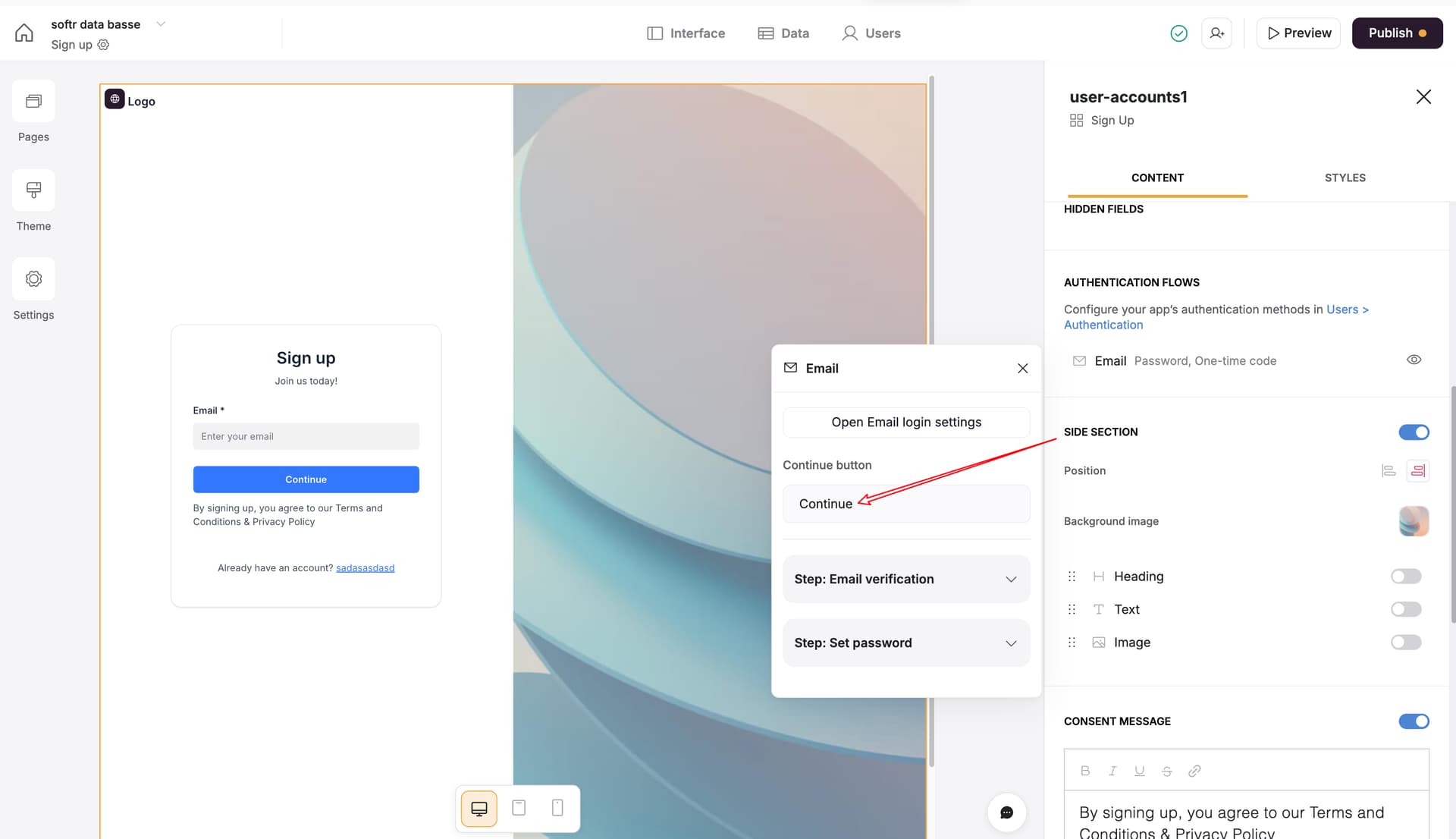
Hi @ChrisT you can do this by clicking into here and adjust the text there. I think this should do it for you!
Thanks for your response @Jjenglert but it’s on the next screen I have a problem…
I changed this “continue” button, and parametered “email verification” and “set password”.
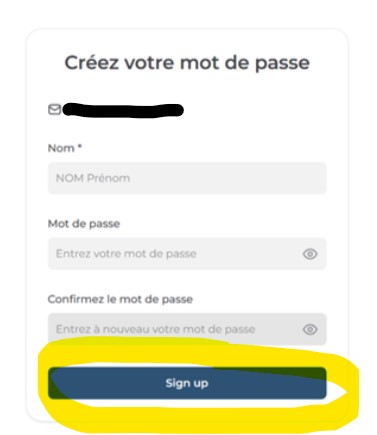
But when I get to the page where I create the password, I can’t find how to change the text on the “Sign up” button (check out my screen shot above)…
It might be there somewhere but just can’t find it
Yes, you are right @ChrisT
We just added a task to update this. I’ll try and report back once it’s live! Hopefully in the next week or so.
nice information…
This has be implemented!
Hey Matthieu!
Thanks for the feedback!
I do think there is a Softr problem here though.
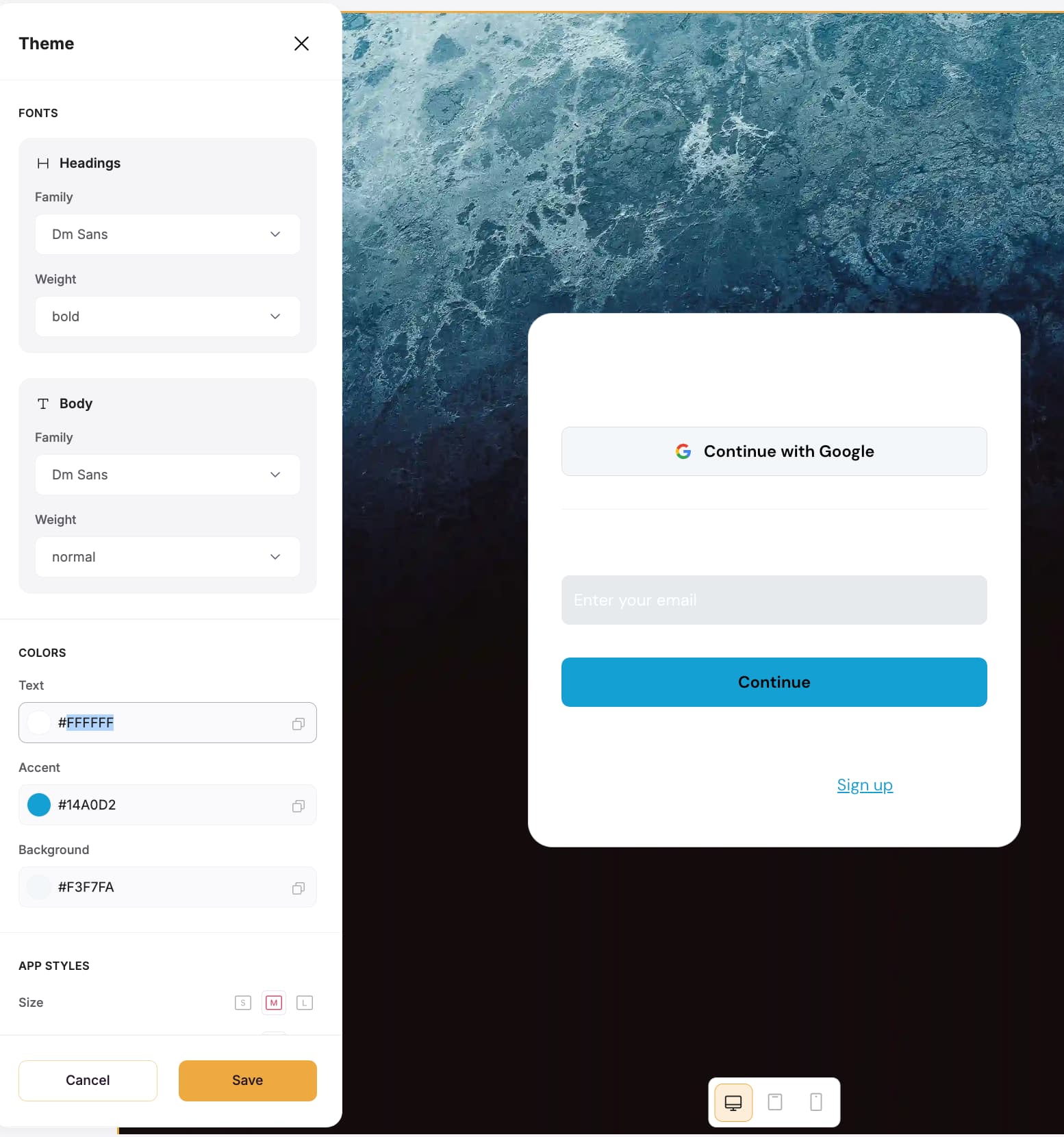
On the right, you see what happens if I make the text color plain white - everything changes except for the “Sign Up” button, which stays in the wrong color.
Shouldn’t users be able to set a theme for all buttons, seperate from the general app? Or am I missing a setting somewhere? @Jjenglert
As always, thanks so much for your help!!
This unfortunately makes the Google Sign In button white as well. Is there any way I can steer only to the one button?
Hi Tim,
Using nth-child() should solve the problem.
<style>
#user-accounts1 button:nth-child(2) {
  color: #FFFFFF !important;
}
</style>
You sir, are a hero! Thank you!
It works like a charm on the login page.
Somehow on the sign-up page, the 1st child makes both “Continue with Google” and the sign up button white and the 2nd child does not affect anything 
Then scripting is needed:
<script>
  window.addEventListener('block-loaded-user-accounts1', () => {
    document.querySelectorAll('#user-accounts1 button').forEach(button => {
      if (button.textContent.trim() === 'Continue') {
        button.style.color = '#ffffff';
      }
    });
  });
</script>
This worked!! Thank you so so much, Matthieu!!!
Hi Tim, just a word of caution.
For solid button text we automatically calculate it according to the button background color to ensure it meets accessibility standard.
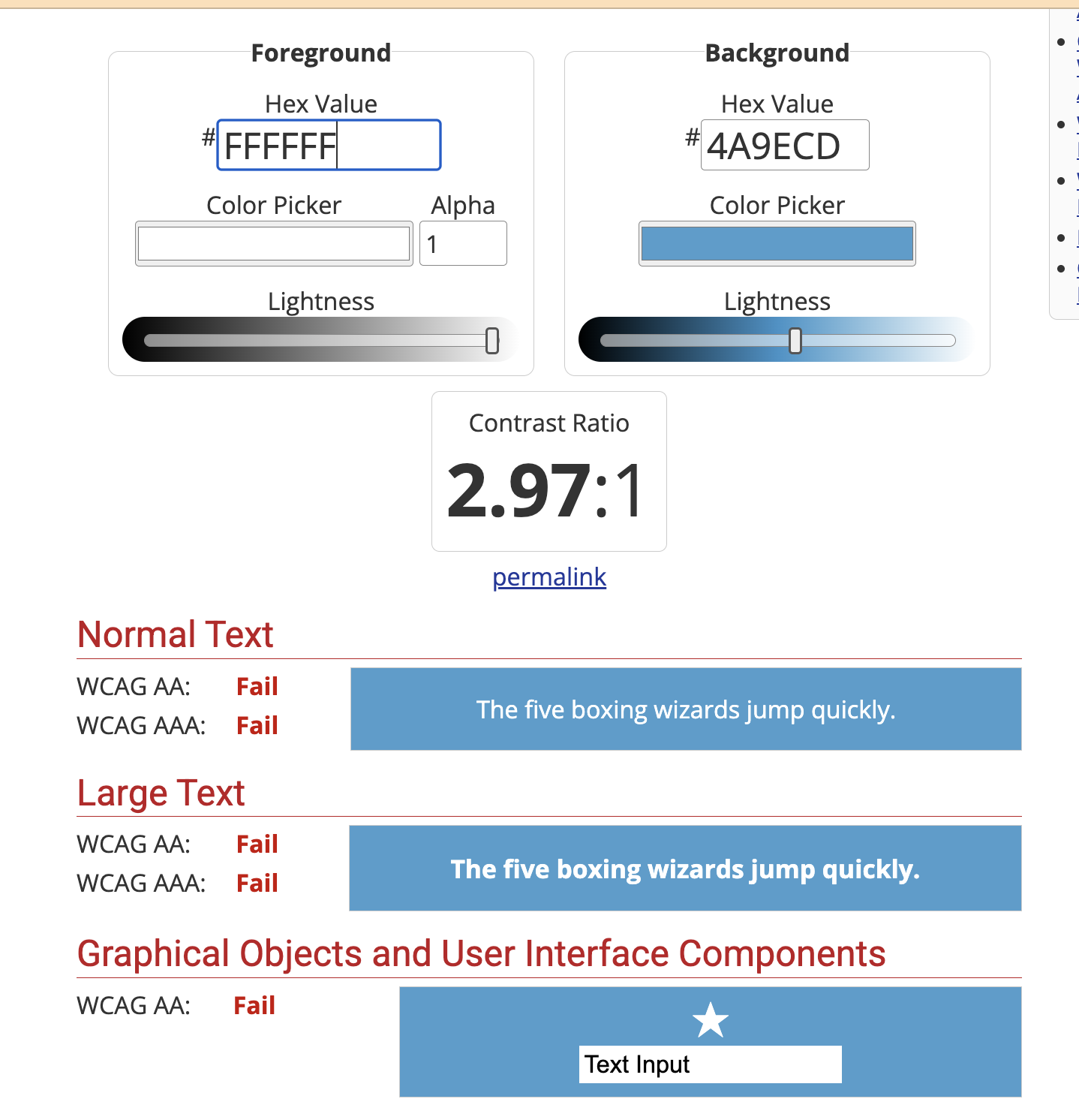
By using white text on your button it likely doesn’t meet the minimum requirement in new EU regulation:
That’s a great hint Austin! Thank you! I’ll look into that 
I just went over my colors and changed the tone slightly - now it chose white - thank you!!!