I’m in the process of building a (large) portal for a customer. I’m extensively using Softr databases as data repository. The portal includes eg. CRM functionality. The Person table has ca. 75 property fields. When opening the Person module in the “Administrators app” which I created carefully (and was fully user tested by the customer), I noticed the all property fields were repositioned, tangled up on the scrreens, all action mappings were lost.
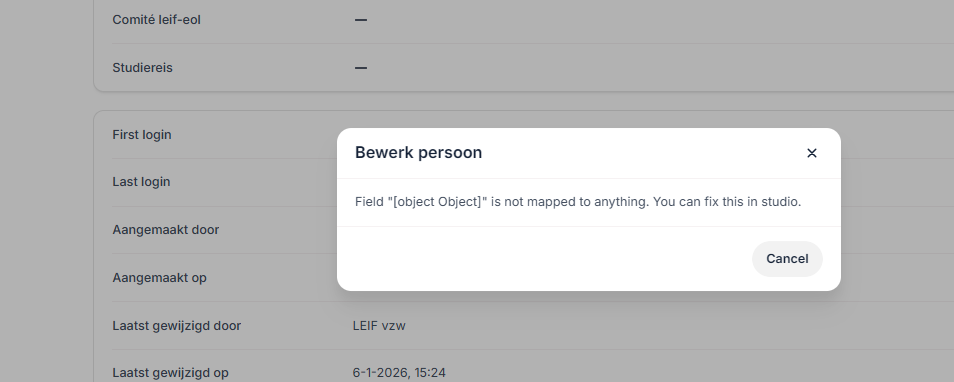
When inspection the sources tab (of the item-details block) I noticed the Source still indicated Softr Databases, however the Dabase en Table selectors were empty. Selecting and setting the correct database again lead to no return to the correct situation.
I’ve just spent 1.5h to re-configure all screens and actions correctly again, for just one table (“Persons”) only. 
I value the frequent Softr improvements, and new builds but expect stability and 100% backwards compatibilty unless announced explictely.
I’d appreciate any advise to avoid this ever happening again!
 Thx. Softr support!