New here but enjoying the learning curve.
I don’t know if this is possible but I’m trying to show some details from a linked database table, in either a form or the ‘add record’ action in a table block.
I have tried adding lookup fields but none of those are visible in the form or ‘add record’ action.
The form is adding a new record to a table called ‘Attendance’ but I want to pull in the additional information from a table called ‘Members’.
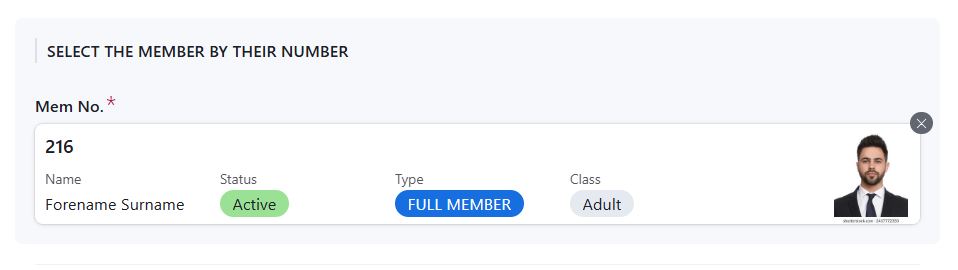
What I’m trying to achieve is when the first field in the form is selected, which is a member number, it shows that members photo and some additional detail from another database table.
Airtable does exactly this as shown below…
Is there any way of achieving something similar in Softr?
Many thanks in advance.
1 Like
What is your goal in adding an entry on the “attendance” table?
Depending on the answer, you may be better off using a list block pointing at the members table where all the information is housed, and having a linked record to the attendance table. Then add an item button that adds a date value to the linked record column on the members table.
Thanks for replying.
The table block is to be used as a sign in sheet to record attendance, fees paid and some other payments as members arrive at the club.
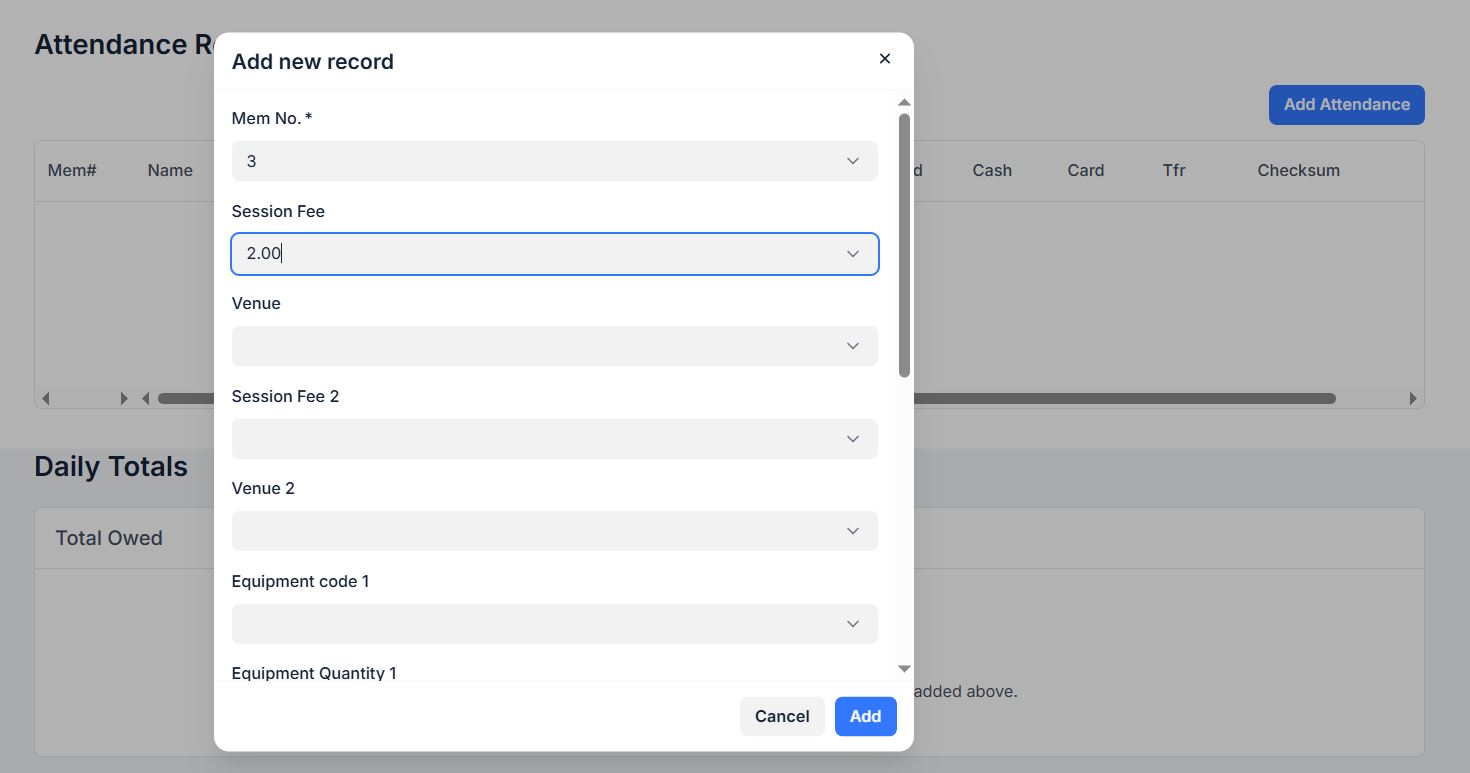
I currently have a button on the table block that launches an ‘add record’ action - the new record is added to the ‘attendance’ database table. The first field selected is the member number which is a linked field to the ‘members’ database table. The staff running the desk don’t know all the members so it would be really useful for the members photo to pop up (along with some other things like membership status, etc).
I added some lookup fields in ‘attendance’ to pull the extra info from ‘members’ but those lookup fields are not shown in the ‘add record’ action.
I chose a table block because as each person is signed in, it builds up a list of attendees for the day and how much they have paid. I then have a second table block that shows the running totals for the day.
As mentioned in my first post, Airtable show that additional info and its great. Overall though I prefer Softr so was hoping I could achieve something similar.
Based on your use case, I do recommend using a list block tied to the members table. That will give you the same visual as what you see in airtable. Staff will be able to search via name, ID, status, etc and see the resulting photo and data you choose.
For tracking people who attend, and have paid fees, etc, You can track those as item buttons that will function as check boxes.
1 Like
I don’t think that will work. That screenshot is just small part of the form - the ‘add record’ form has around 20 fields with various input types including dropdown fields and free text. It’s capturing a lot of information for each attendance. The ‘member’ table will stay fairly consistent throughout the year whereas the ‘attendance’ table could have 2500+ records added to it each year. Individual members could have 50 visits or more each year. I can’t see how that would fit in to the ‘members’ table which has one row per member, whereas ‘attendance’ will have many rows per member.
I also need to be able to read the live data for that day from ‘attendance’ as it is used to keep a visible running total of the days takings which is then reconciled against methods of payment taken when the staff cash up at the end of the day.
You are correct that you would not want to store attendance related info on the member record. You would have multiple tables, from what you’ve described so far it sounds like at a minimum there would be members, events, attendance, payment/invoices.
If you have something working already, perhaps post a screenshot here to provide more context of what you are trying to replicate in softr.
1 Like
Yes, that’s essentially what I have set up in both Softr and Airtable (‘members’, ‘attendance’ and ‘daily revenue’ database tables). I’m ok with all that and it’s working well in both platforms. It would just be nice to be able to view the members photo in the Softr form, in the same way it works in Airtable.
This is the Softr ‘add record’ form….. It works perfectly ok, just that when you select the member number it can’t show the photo, name, etc (which are lookup fields in the ‘attendance’ table linked to the ‘members’ table)….
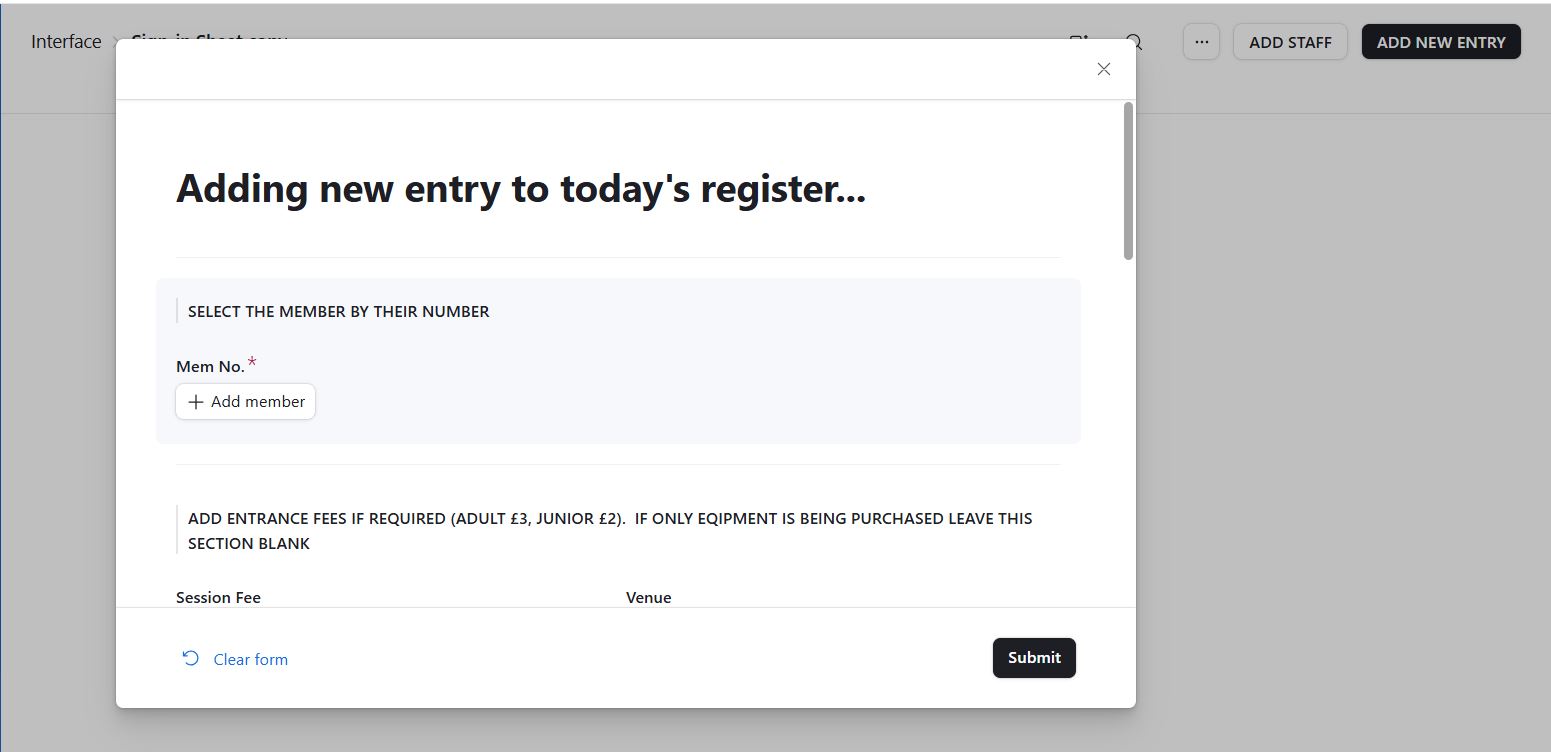
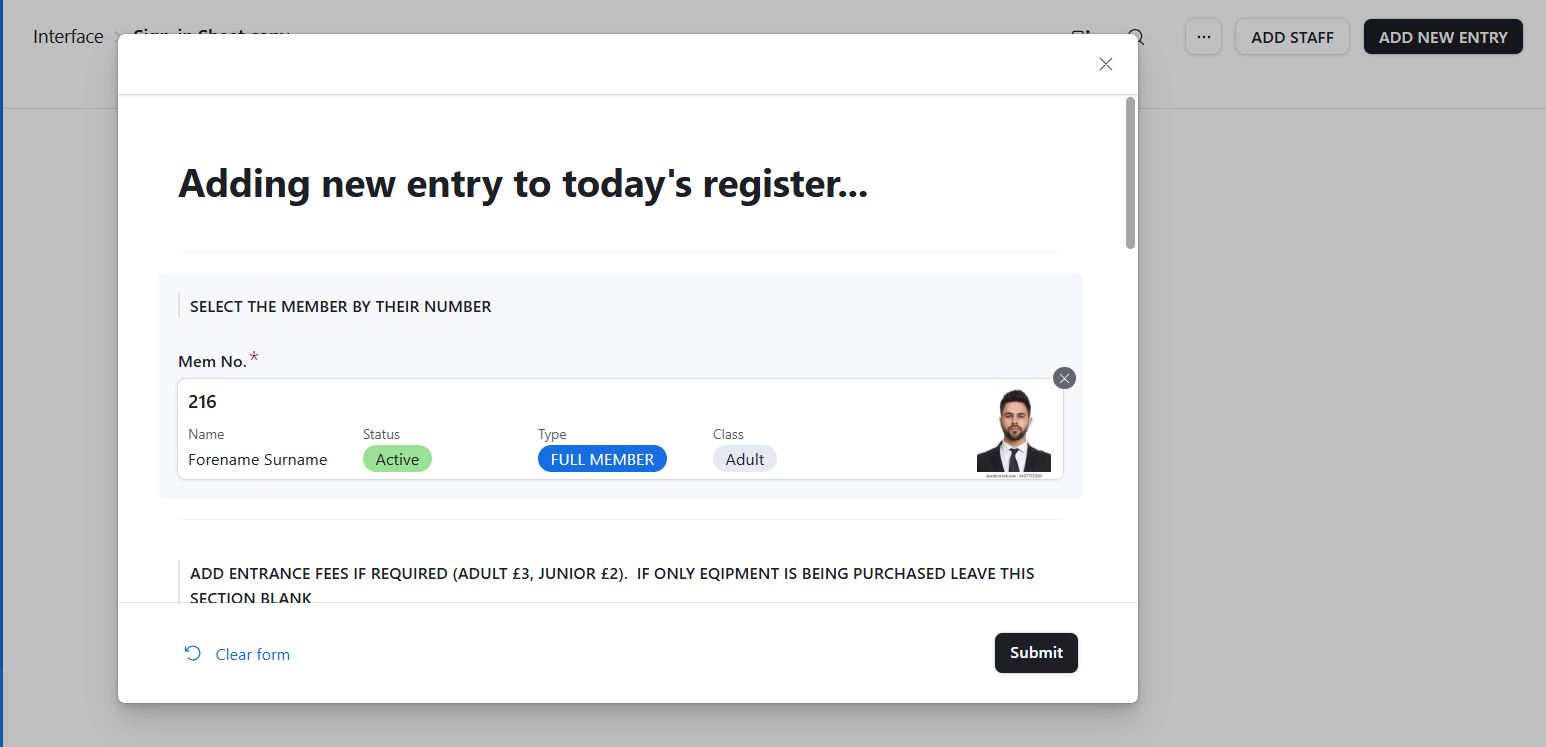
For comparison, this is the same form in Airtable…. It’s asking for the same information as the Softr form and it adds records to the ‘attendance’ table just like the Softr form….
The advantage of the Airtable form is that when you select the member number, the form displays those useful lookup fields from the ‘members’ table….
It’s that functionality I’m trying to replicate one way or another in Softr. It’s not the end of the world if it’s not possible because if the staff do need to see that information, there is another page in the Softr interface that lets them look up the member details. It’s just not as convenient as it means coming out of the attendance form and page first. The Airtable method is just super convenient and a nice clean way of doing it.