Thanks Matthieu, it is still not working. I have added the script, I created a button (add record with no information) I anmed it Refresh. The refresh button is not showing the new record, while refreshing the browser page does.
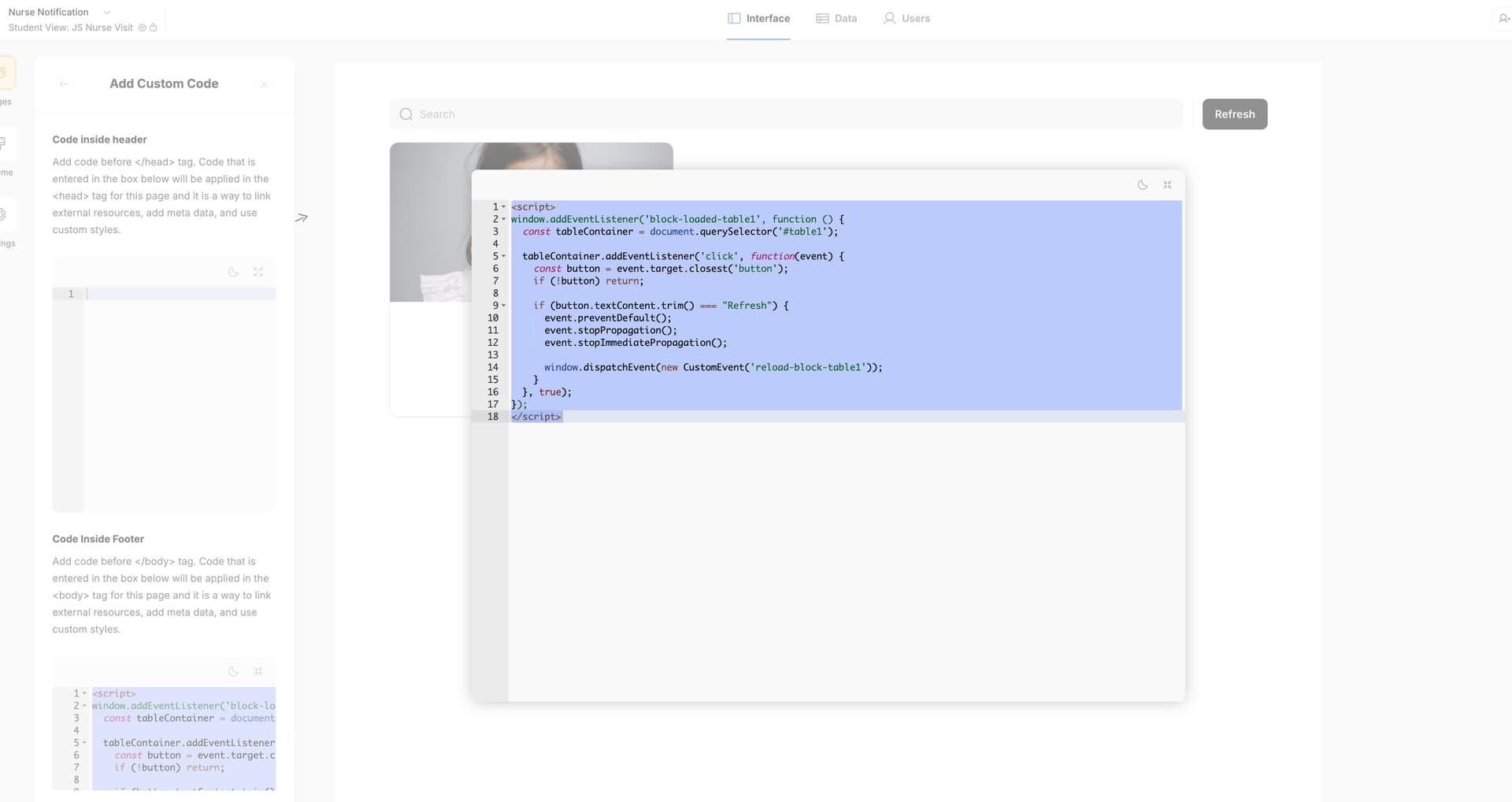
Careful, any script with window.addEventListener('block-loaded-blockid' in it should be added in the header, never in the footer.
Also feel free to empty your browser caching and relaunch a preview mode, there might be issues sometimes with updates not being taken in count for a certain amount of time.
This is tested over and over, if this not working please DM and then add me to your Softr workspace so that I can debug it quickly.
1 Like
Thank you, it works !
1 Like
Great! Footer to header?
Header !
One more question for you. I would also like to follow your previous direction on another post I found to close the modal when a one-click action is performed. From this page, I was trying to refresh: a student can click on their card, indicate they have checked in, and then the modal window should close. Can you help me combine both scripts together?
<script>
window.addEventListener('block-loaded-1a', () => {
  window.addEventListener('update-record-success-1a', function() {
    setTimeout(function() {
      var modalElement = document.getElementById('sw-modal');
      if (modalElement) {
        modalElement.className = 'sw-modal';
      }
    }, 1000);
  });
});
</script>```What do you want to do exactly?
When 1a is updated within a modal (lateral or centered) it should update table1 in the parent page (the page behind the modal)?
Now that the script on this lage works well thanks to you, I would like to be able to add a second script.
On this page the main block is a list (the one I was trying to refresh). When we click in a record it opens a modal with the details and a button to update a record by one click.
What I would.like to do is when the model is open and the user click on the one click update button, it automatically close the modal and return to the main page where the list was located.
For this current thread clarity, here is the related thread: Close Modal after record update - #18 by matthieu_chateau
Though this behaviour is quite hard to perform in Softr because it lacks stable selectors/modals are quite hard to handle with scripts. I won’t provide any feedback on this unfortunately, way too much work to do, and I doubt any solution would be stable in the future. Modals might change within the next few months.
Not native, way too sensitive to perform at scale => idea to be forgotten for the moment.
1 Like
Got it Matthieu thanks again for your kind help.